life moves fast.
keep what mattered.
The small dinners and the big days both go by, and then they're gone. BoredApp is where you keep them, on purpose: every event, who came, what was said, everyone's photos. Year after year, it adds up to a life.




Available on iOS, Android, Mac, and the web.
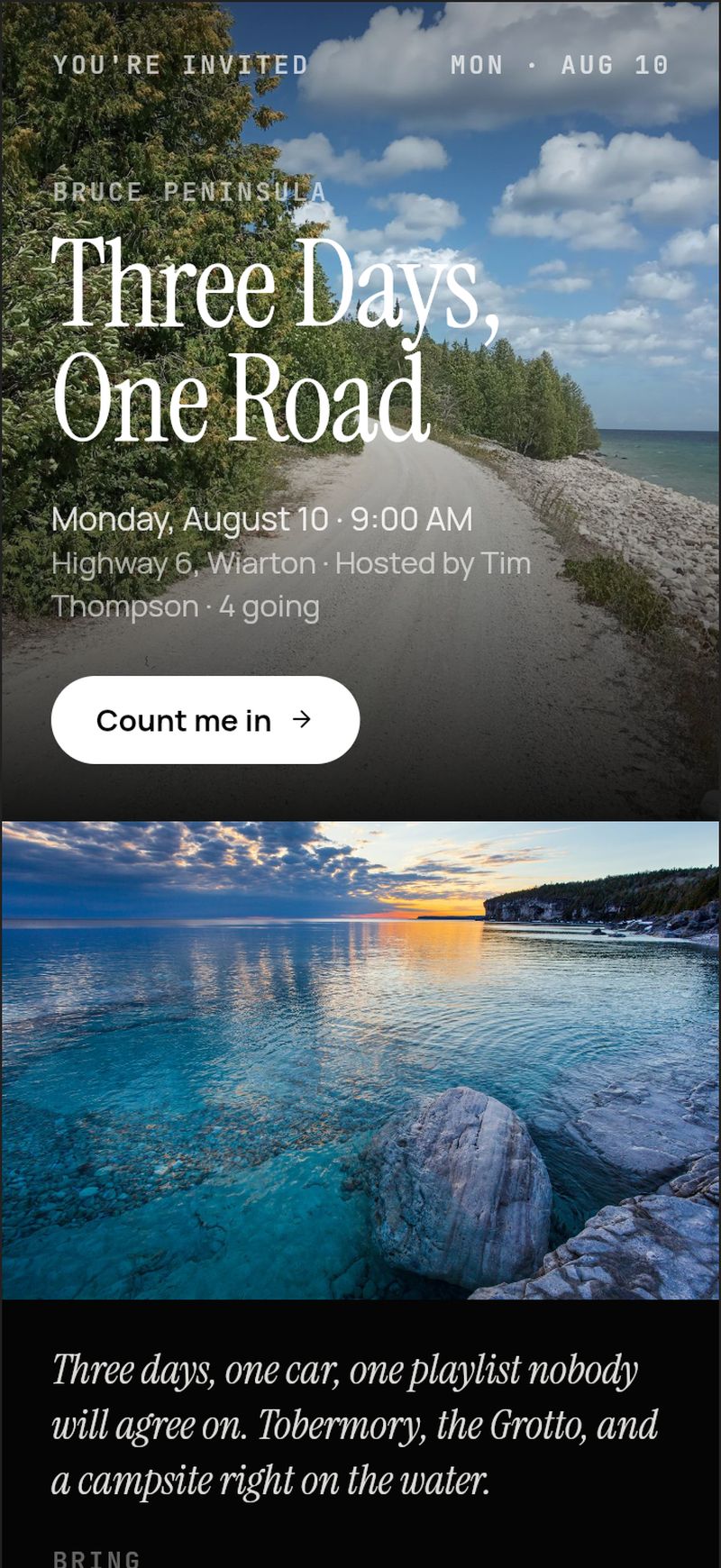

most of it just disappears.
Take one birthday. A year on, here's where it lives.
One birthday. A year on: three photos in the camera roll, twelve RSVPs across twelve threads, one confirmation email, a calendar entry, forty photos never sent, a group chat scrolled off the top.
the camera roll
the group chat
the inbox
the calendar
the shared album
the text messages
Six places. None of them is keeping it.
Keeping it is a decision. This is where you make it.
why should I try BoredApp?
Everything the six places lost, in one record — assembled while you planned, not afterwards.
The same birthday, kept: twelve RSVPs on one list, fifty-eight photos from nine phones, the chat, the reactions, the questionnaire answers, and a recap page. Last year's party linked on one side, next year's already started on the other. Your AI can ask the last one, plan this one, and create the next one from it.
the birthday
Oliver's 4th
Saturday, 2 to 5, High Park. Twelve came.
kept · a year on
who came
Twelve RSVPs, one list.
everyone’s photos
Fifty-eight, from nine phones.
what was said
The chat, still here.
reactions
Fourteen on the cake photo.
the questionnaire
Allergies, plus-ones, arrivals.
the recap
One page, for everyone there.
last year
Oliver's 3rd
Still here.
next year
Oliver's 5th
Links itself.
your AI
- 3rd →
“What did we do for Oliver’s 3rd?”
- 4th →
“Make the planning list for Oliver’s 4th.”
- 5th →
“Create Oliver’s 5th from the 4th.”
One place keeps all of it.
Who came, what was said, everyone's photos, kept on purpose. This year and every year after: your AI asks the last one, plans this one, and starts the next one from it.
what keeping it looks like
this is the memory archive.
Every event you keep lands in one place — the photos, the chat, who came. The ones that repeat link into a series; the ones that travel link into a trip. Nobody kept it. It kept itself.
the yearly ones
Birthdays, anniversaries, the family reunion.
the weekly crew
Golf Saturdays, pickleball nights, the run club.
the standing one
The monthly dinner. Even the company all-hands.
Twenty past events? One card, one timeline.
Repeat an event or link the past ones in two taps — tag the series once and it rides the whole run.
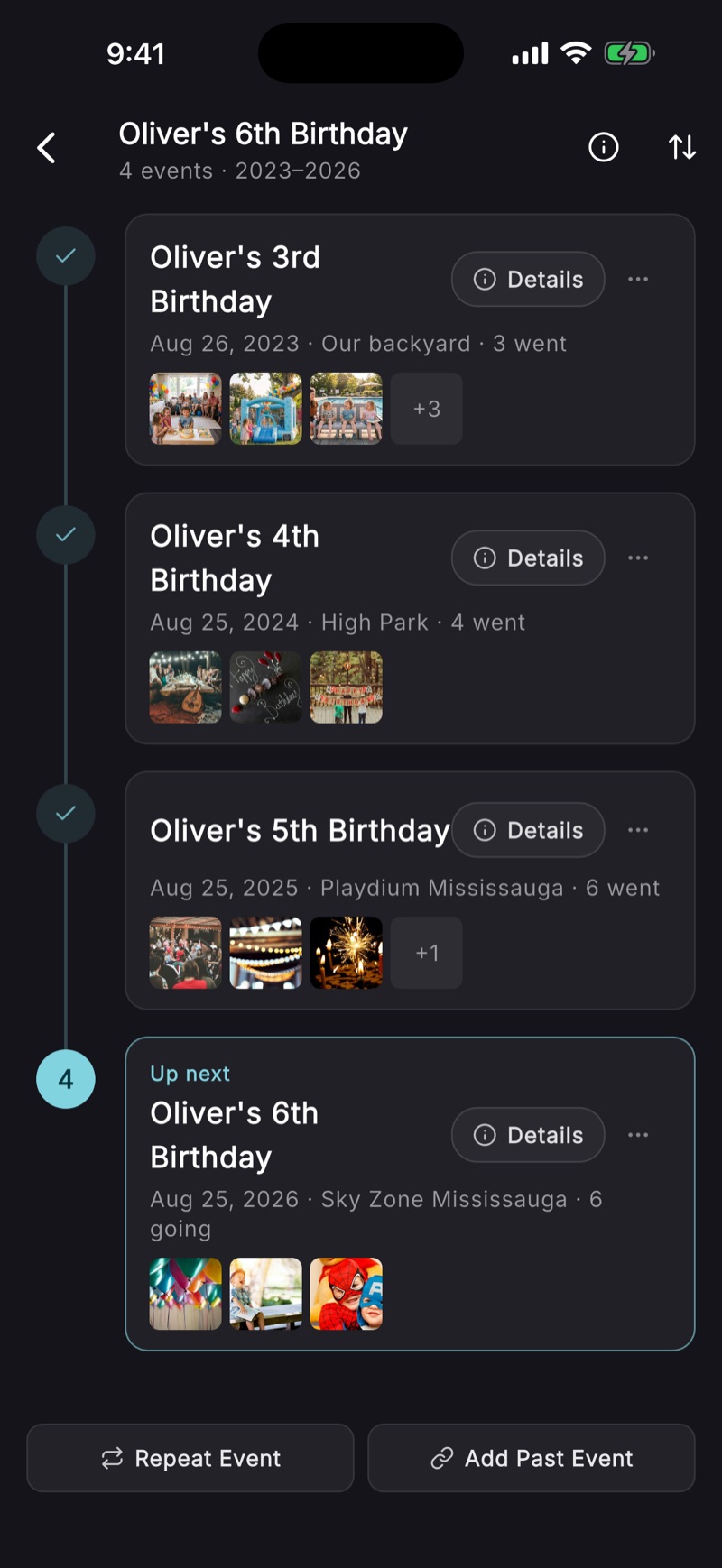
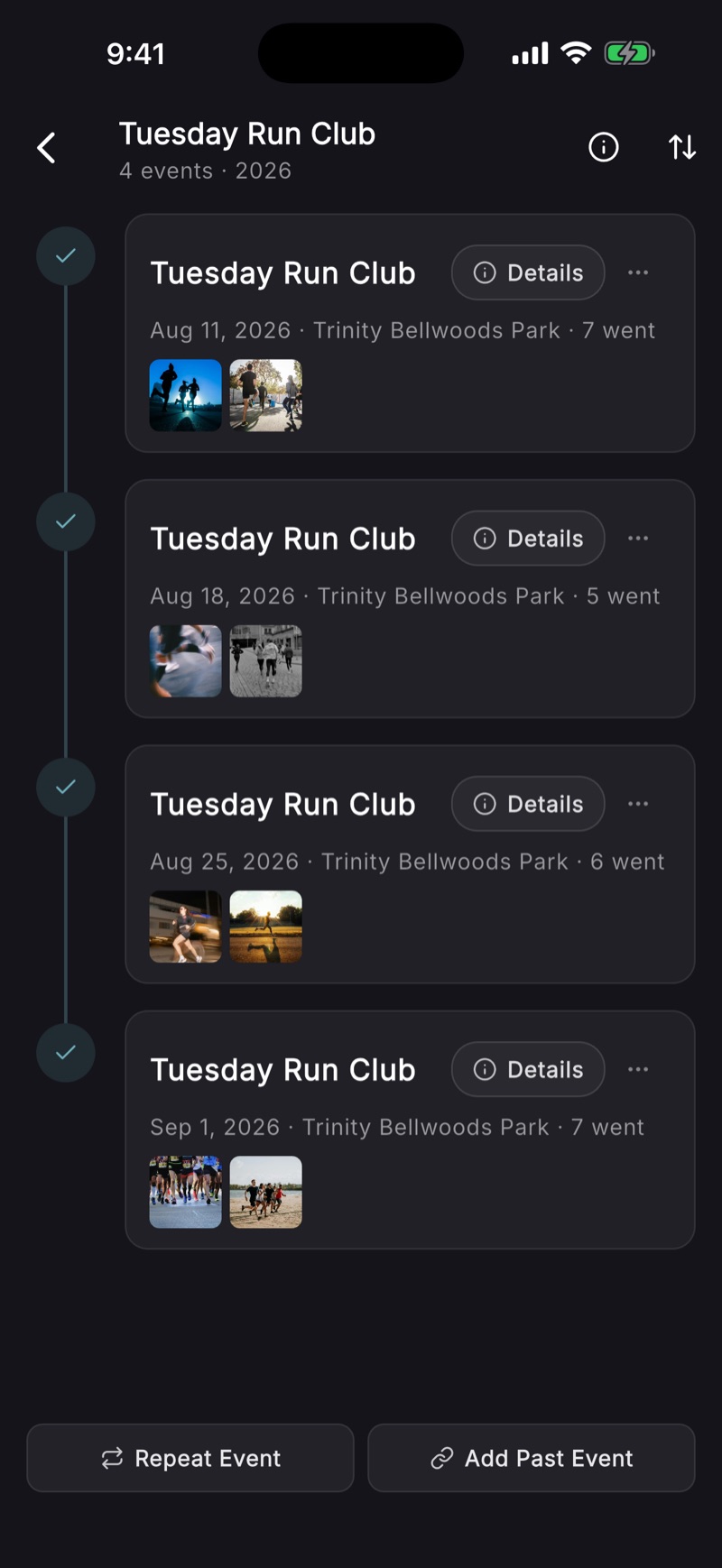
Four birthdays or four Tuesdays — everyone who came sees the timeline too. Not just the host.
a note from the founder
it turned out the small ones mattered most.
I built this for the big days. Then I looked at what I'd actually kept. The morning walk with my wife. Visiting Oma with my son. Coffee with old friends. Some of the funniest things we've ever caught are in there. The birthday gets a hundred photos anyway. An ordinary Tuesday gets none, and there are three hundred of them a year. That's most of a life.
That was the surprise. The big days are in here too, and it's great for those. But the small ones are what nobody keeps today, and kept, they compound. The people in them see it too.
five looks, your photos, free
the share link is the invitation.
Every event gets a card — the details, your photos, one Join button — in the same five looks as the recap it ends in. Opens in any browser, nothing to install.
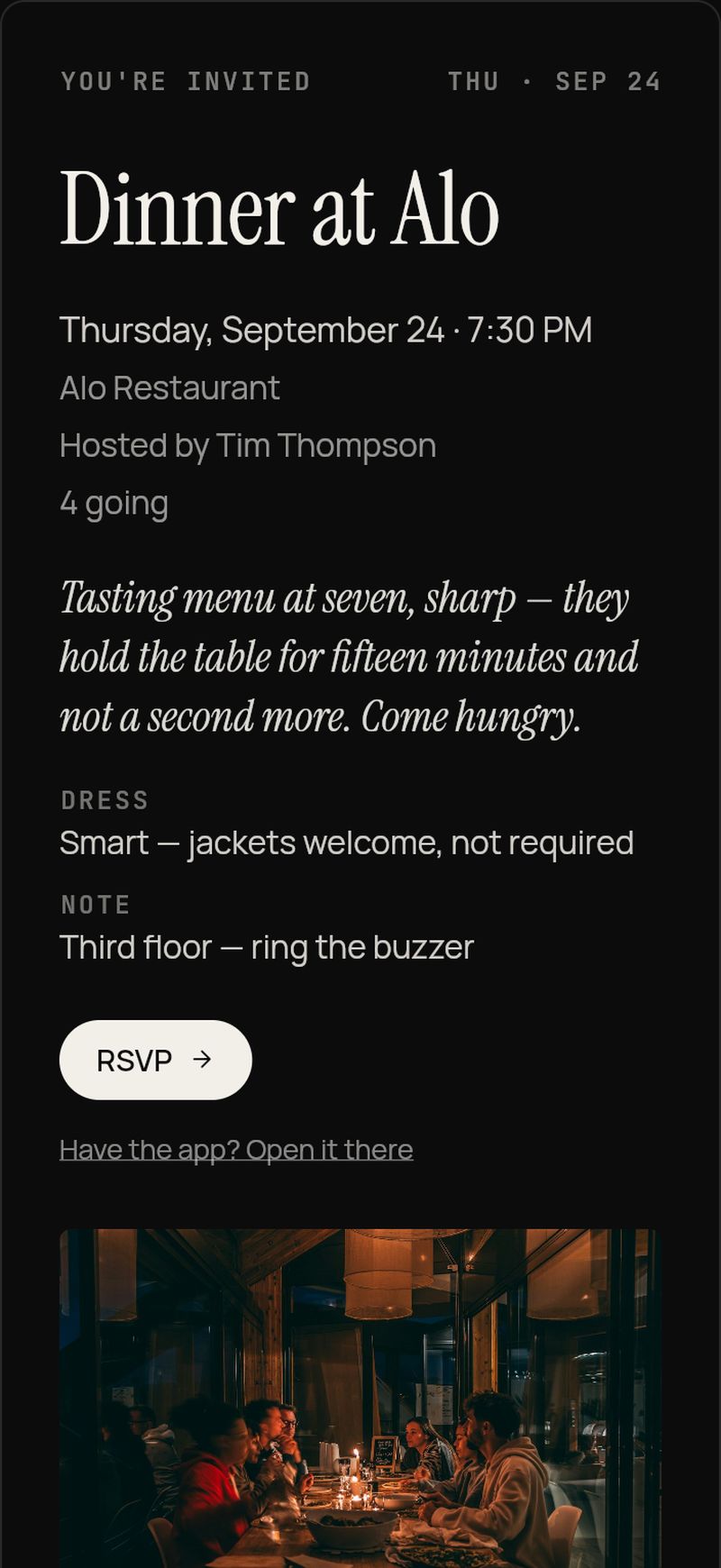
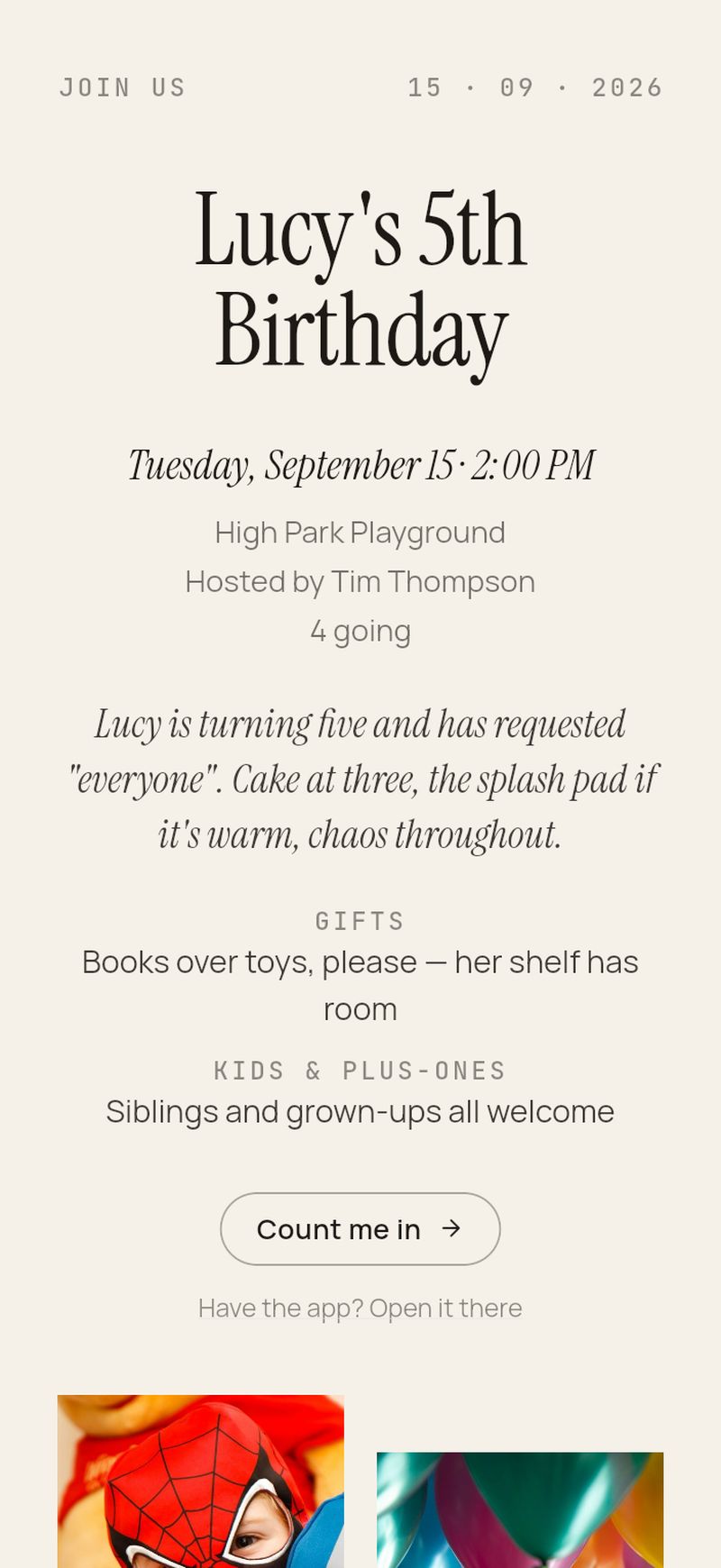
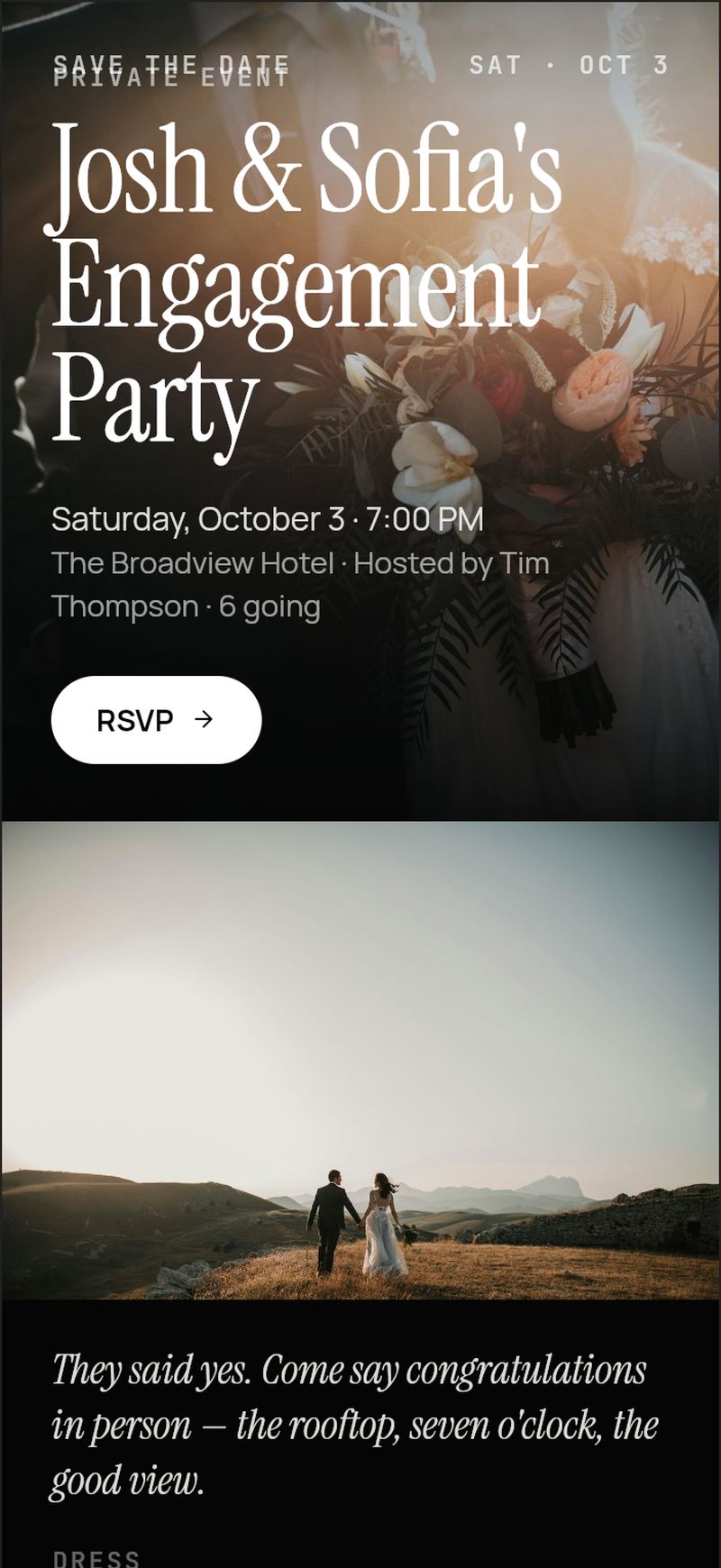
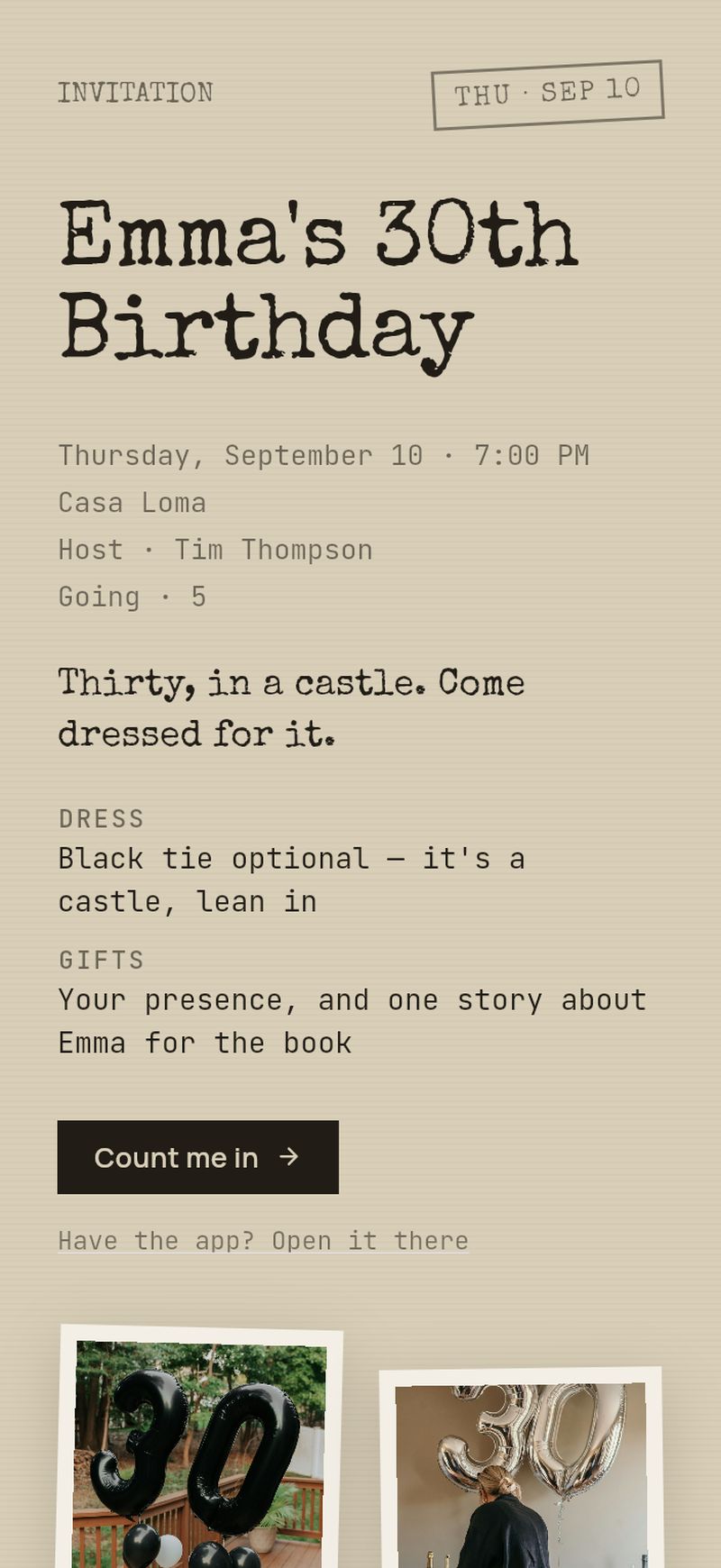
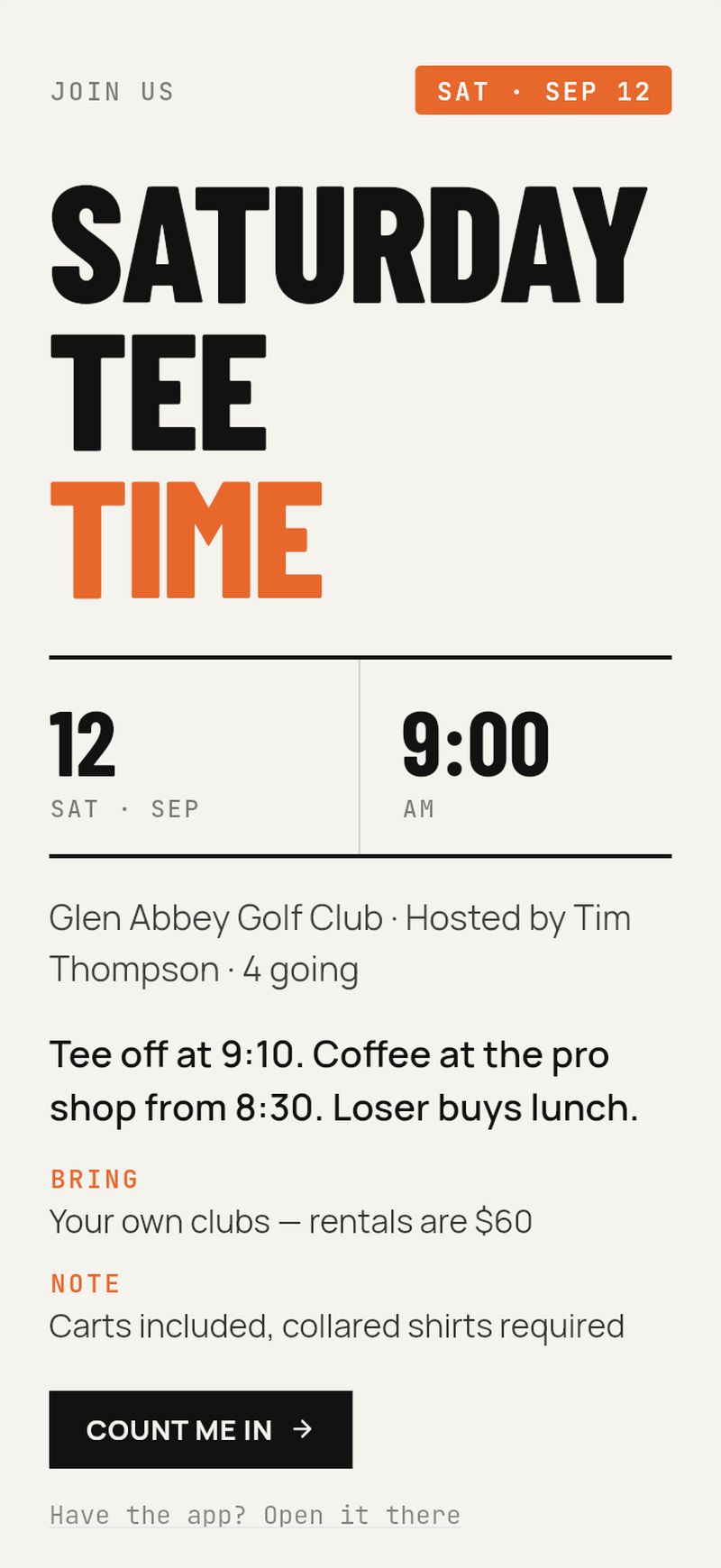
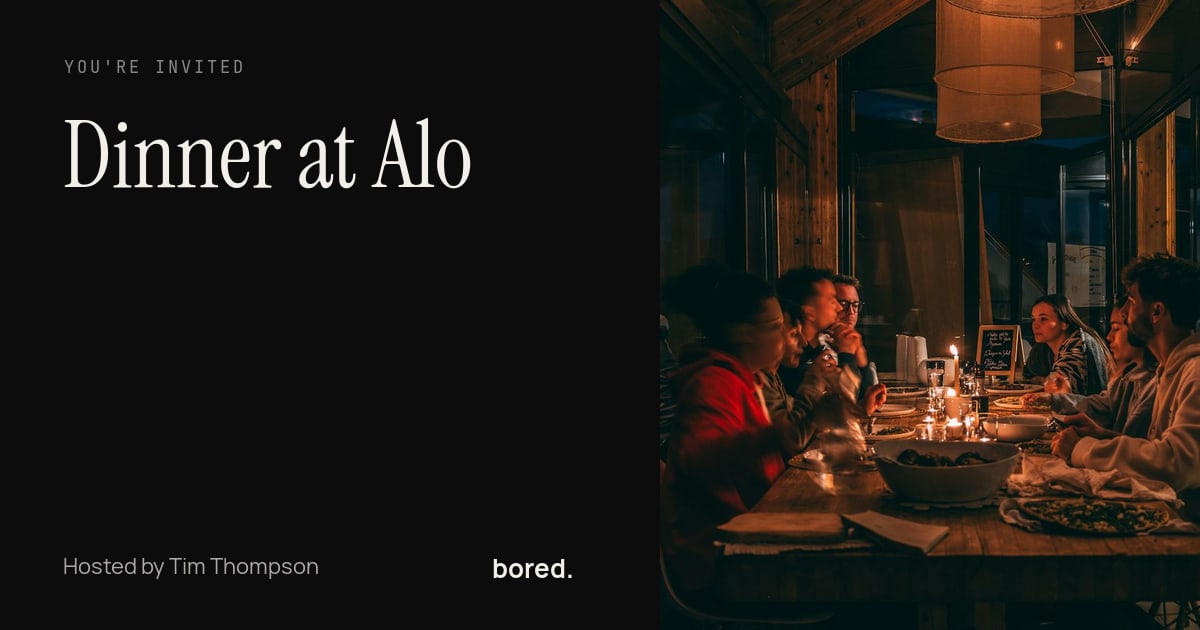
It lands like this.
Send it from the event and it unfurls in the thread as a real preview in the card's look — not a URL.
ProYour logo on the card, and our mark off the preview.
Any event can be invite-only, too: switch off “Anyone with the link can join” and the link and the card stop admitting anyone new. Free, on every event.
recaps
ask your AI for the recap.
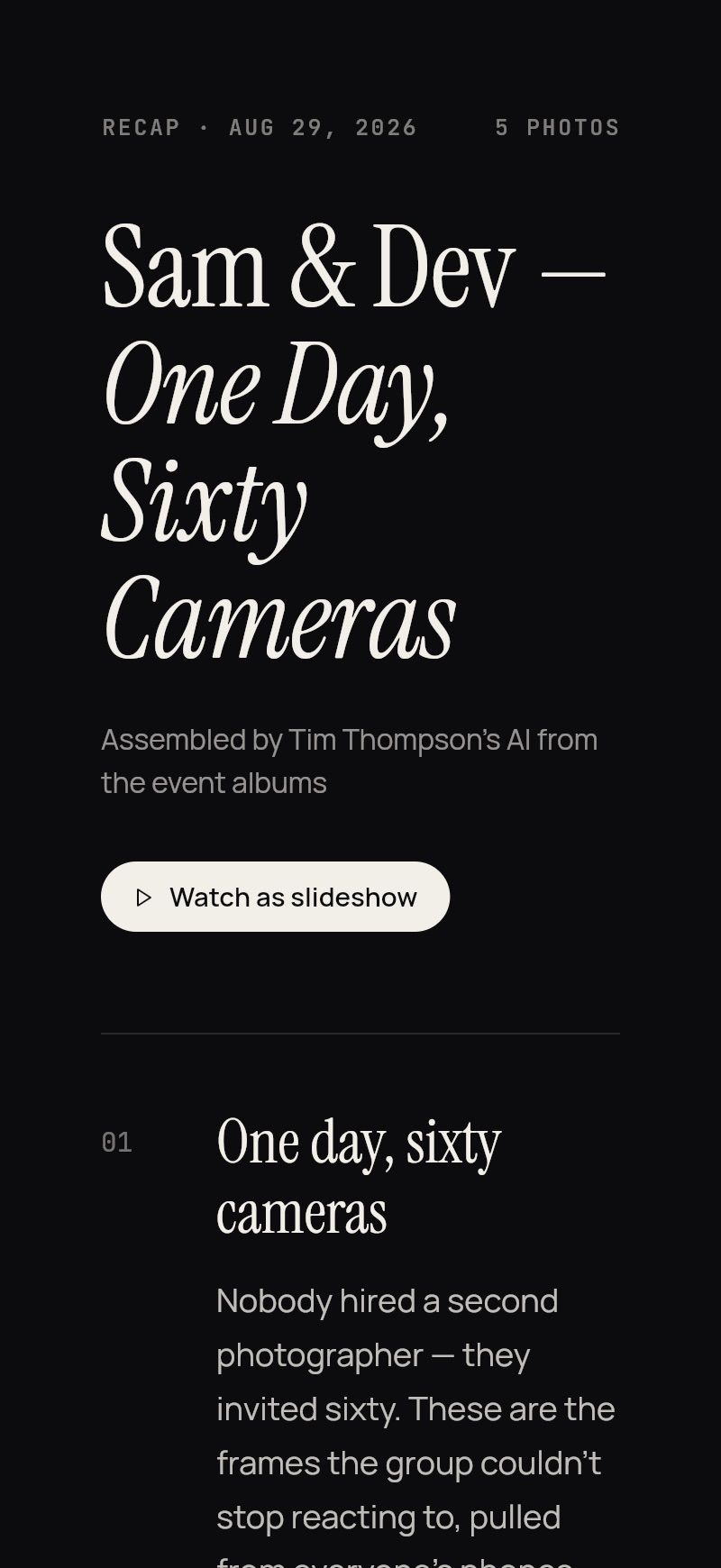
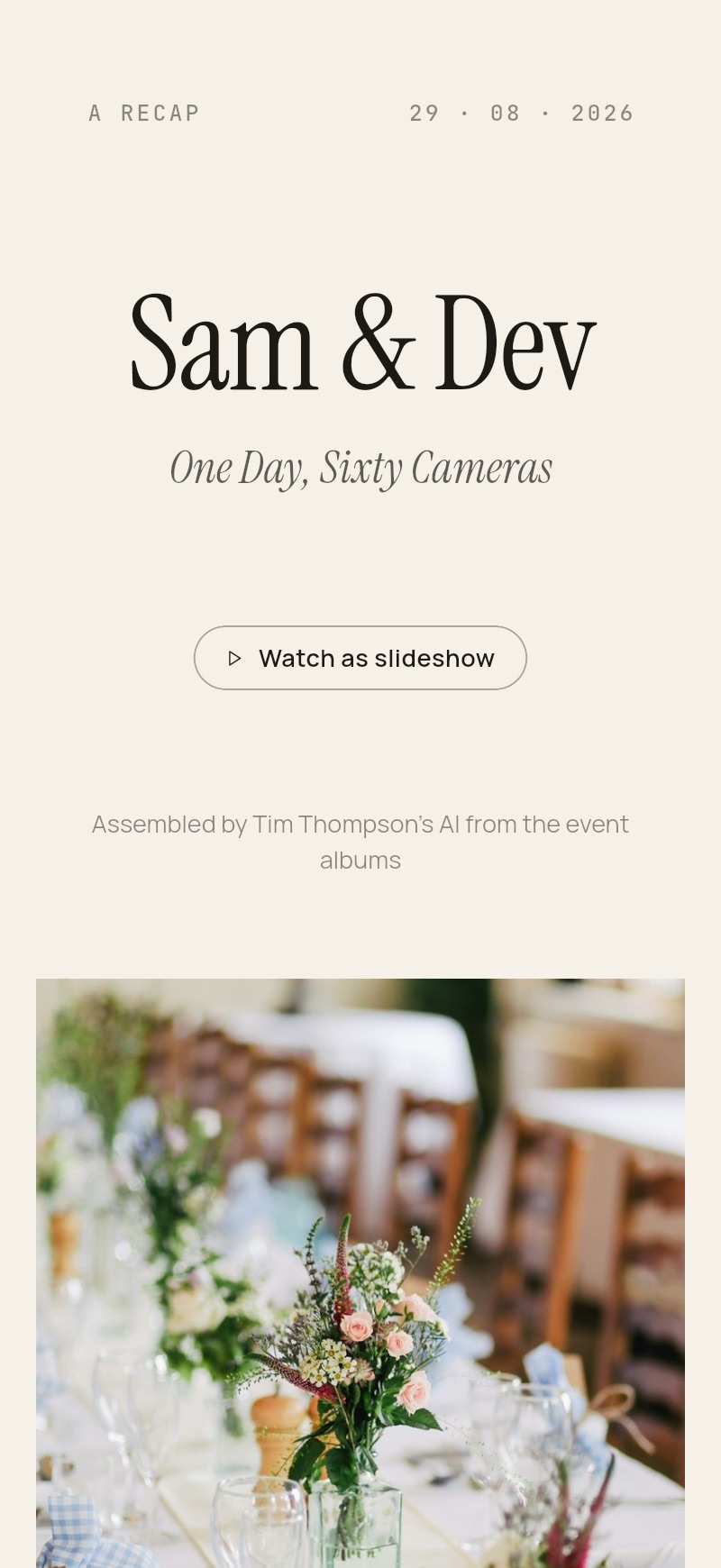
One line to your AI, one page for everyone who was there. Free.
Tap a prompt to see the page it made.
Members only, unless you share a link.

bring your own AI
what can I do with my AI?
The whole life of an event, one sentence at a time. Claude, ChatGPT, or any assistant you already use — plugged into your BoredApp, planning as you.
planning it
“Build the trip from these confirmations.”
Seven legs, right time zones, one timeline — from the booking pile you forwarded.
“Dinner Friday at 7 with Sam, Priya and the Okafors.”
The event, made, everyone invited, waiting in the app.
“My usual packing list for three days at the cottage with the family.”
Your AI already knows the list, and who carries what. It lands on the event as a checklist, each person’s things assigned to them.
“Where should we eat? Two Mexican, two Mediterranean, let them vote.”
Four real places, one poll, the group decides.
“Send the group a questionnaire: allergies, plus-ones, arrival time.”
Every guest answers in the app. The host sees it all in one place.
living it
“Dinner moved to eight, and we’re on the patio now.”
The event updates for everyone going. No group text needed.
“Tell the group I’m running twenty minutes late.”
A message in the event chat, from you, typed by nobody.
“Find a brunch place near the hotel for ten of us, and post it to the group.”
Your AI does the looking. The pick lands on the event for everyone going, labelled as your AI.
keeping it
“Where did we eat in July?”
It reads your archive back to you. The past is a question away.
“Make a recap of the party, everyone’s photos.”
One page, in the look you pick, for everyone who was there. Free.
“Remember I don’t do late dinners or downtown parking.”
A standing profile it plans around, every time.
Your AI knows you. BoredApp never has to.
see how it connectsthe day, as it actually happened.
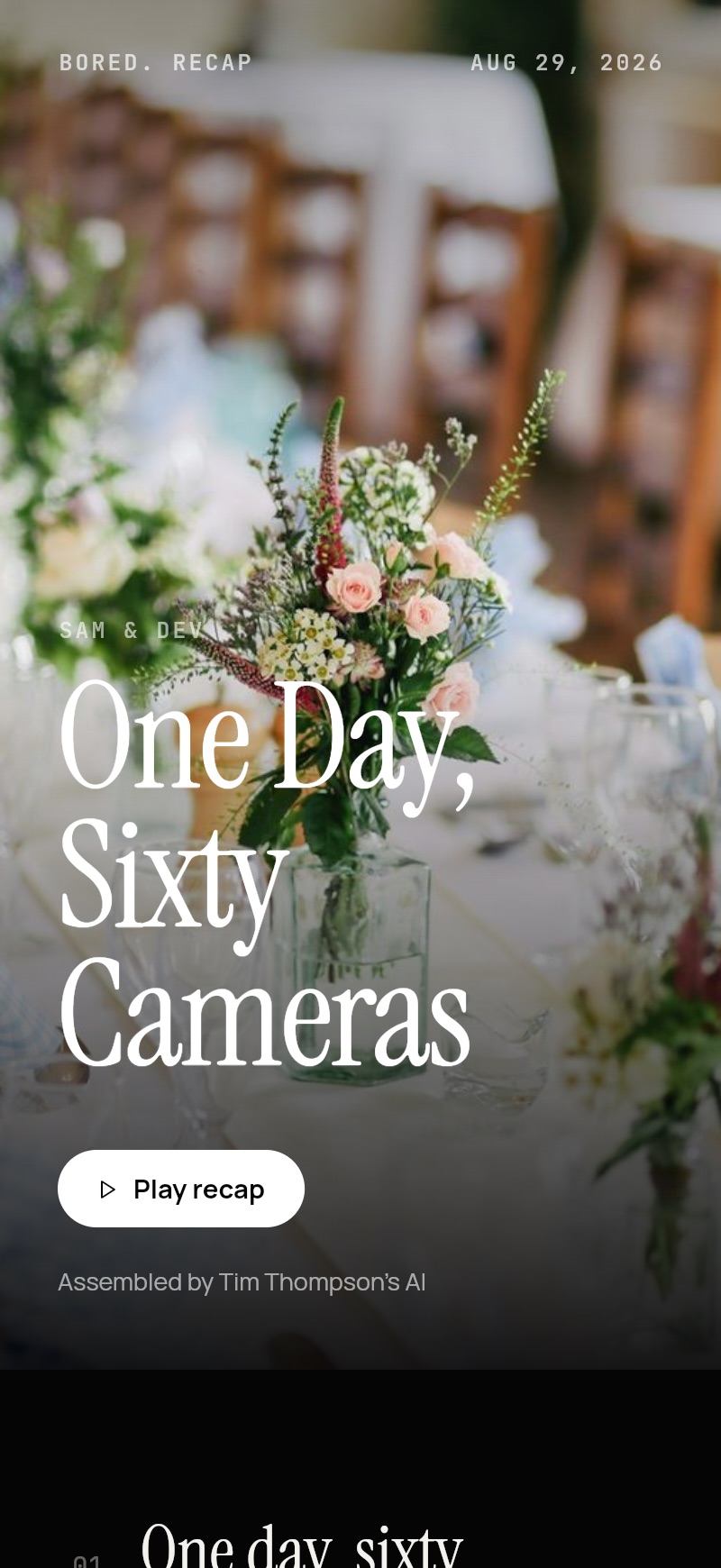
Sixty guests, sixty angles, one shared album — including the moments you weren't in.
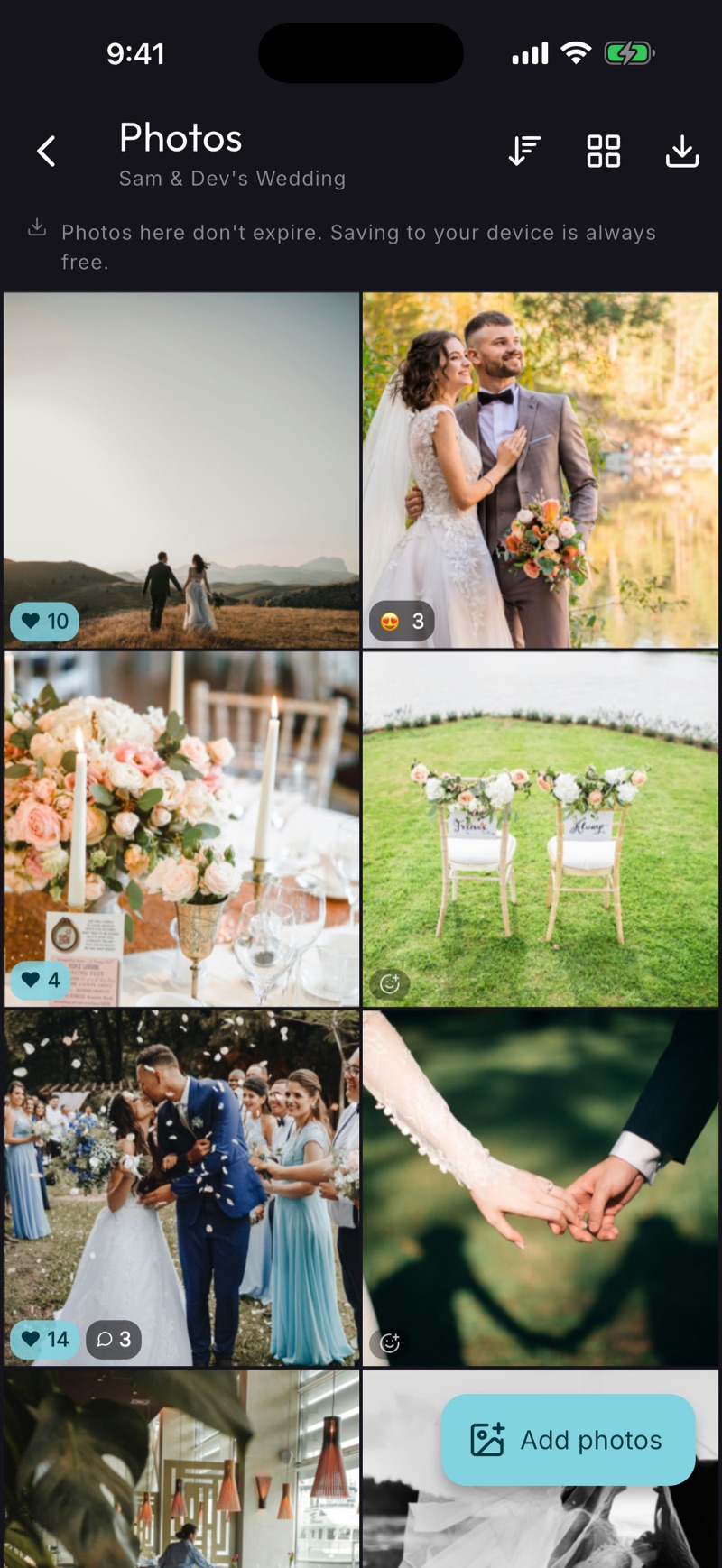
Sixty guests, one album
Everyone who came adds to the same place.
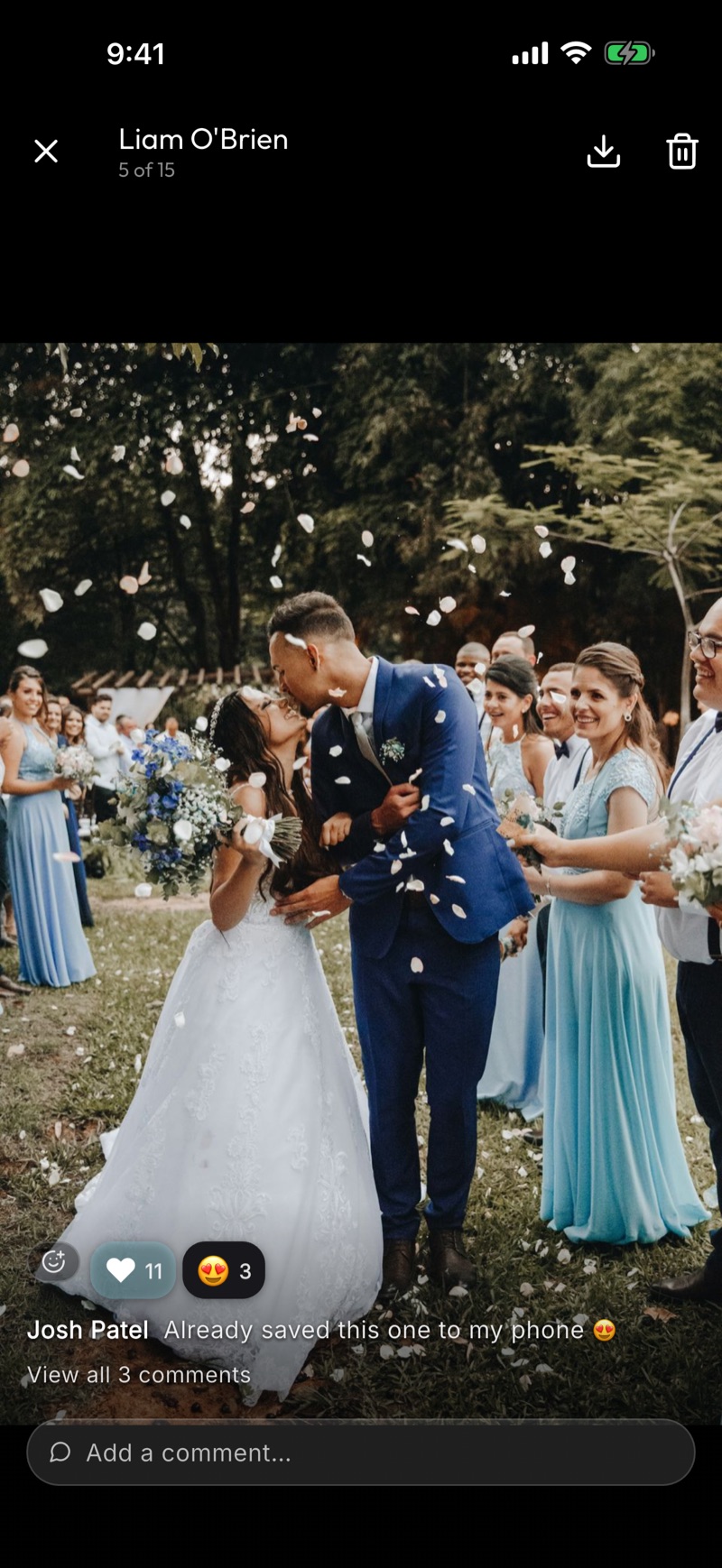
React and talk about it
Reactions and comments live on the picture.
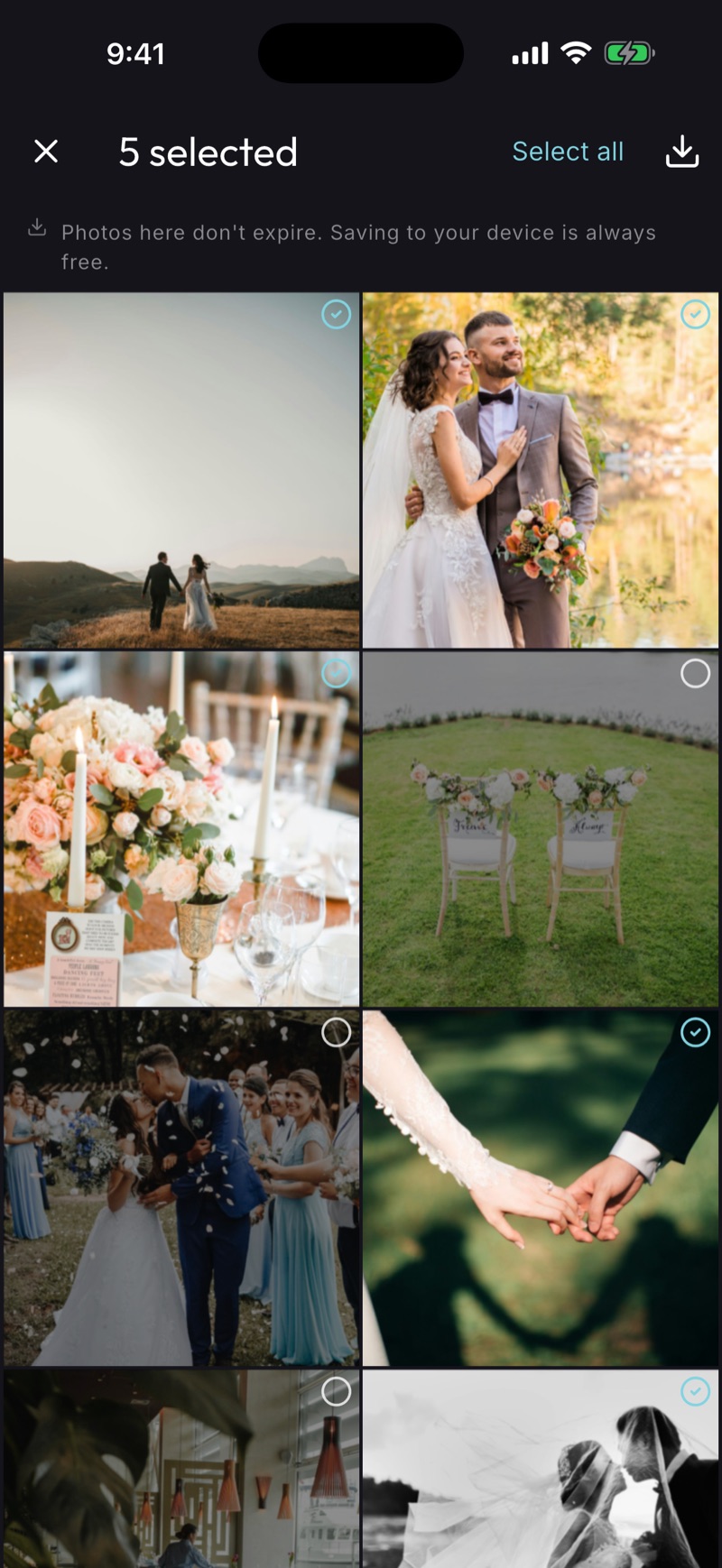
Take the whole day home
Any guest can save every photo. Free, always.
put the album on the photo wall.
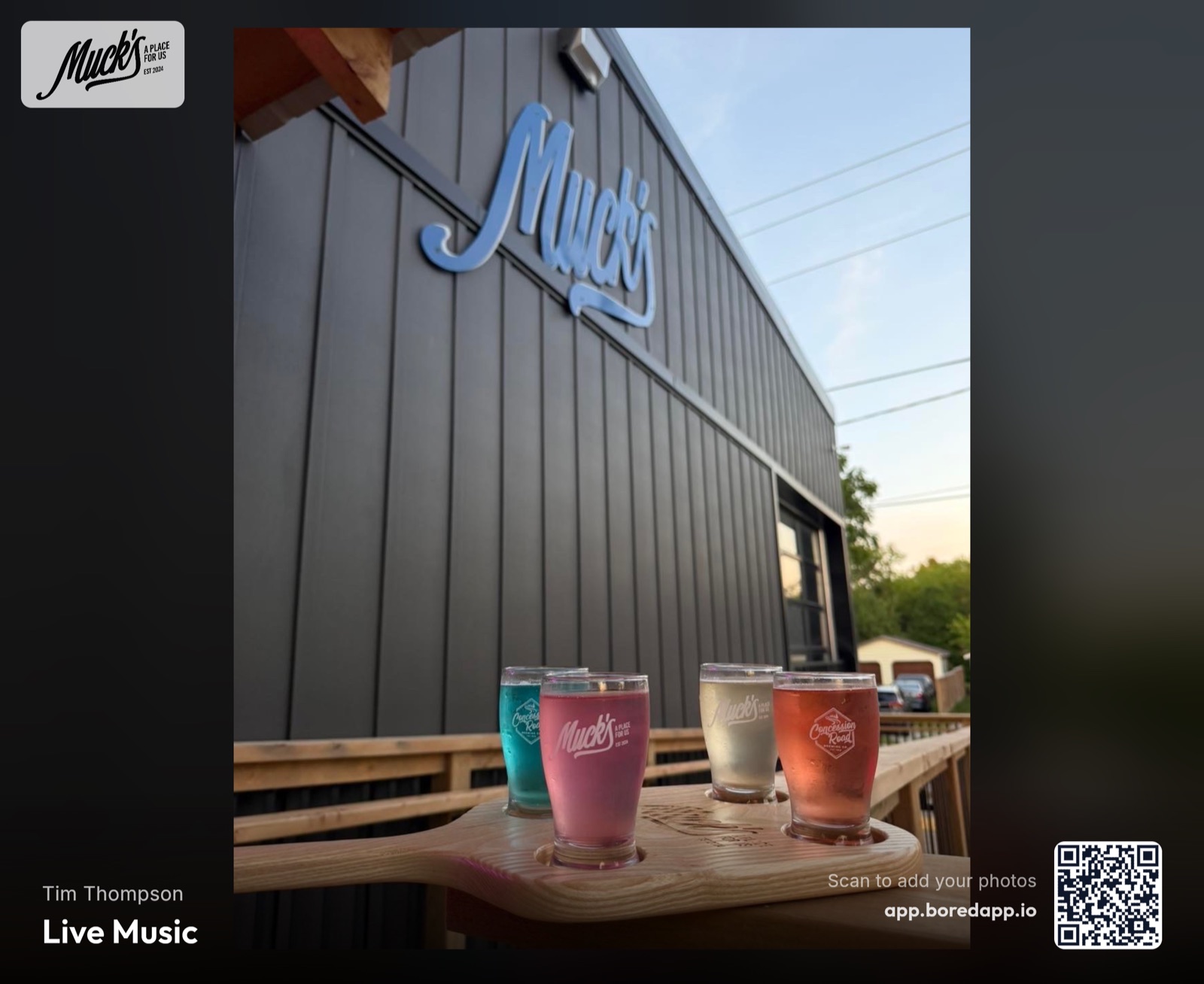
Every event comes with one. Open the link on the TV at the venue and photos land on the screen seconds after guests take them — nothing to install, no cable, and a name on every one.
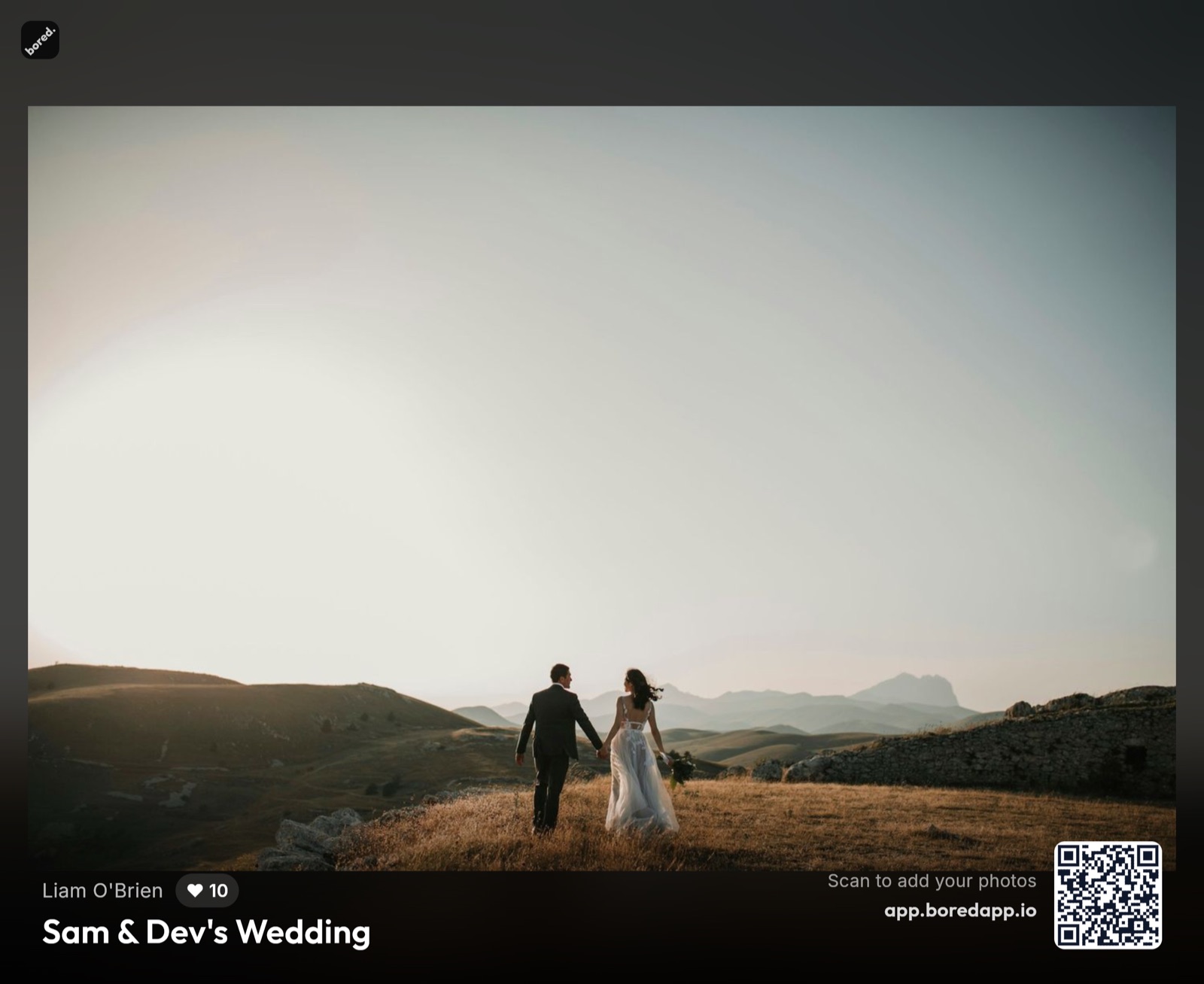
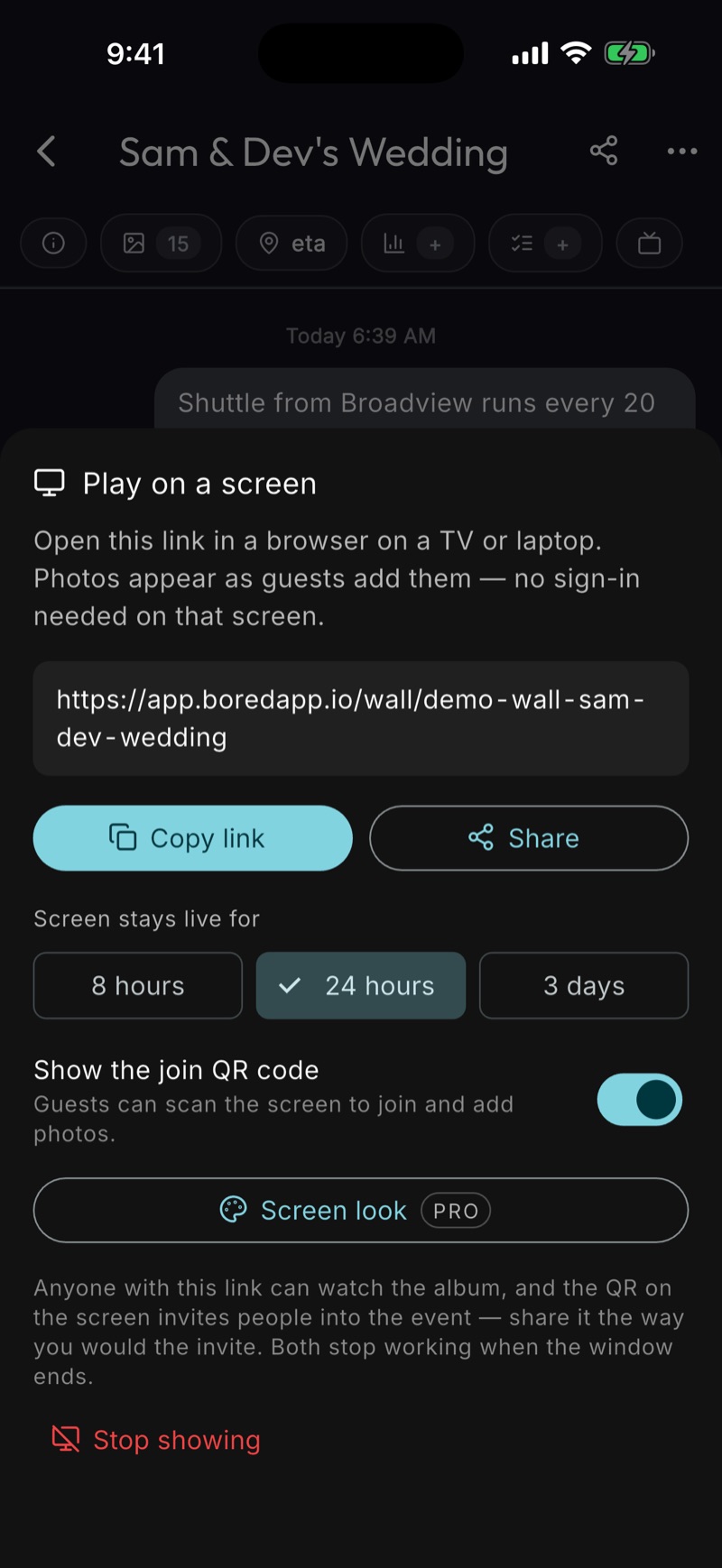
Turn it off anytime.
Only the host can start it, and it stops at a tap — or on its own, on the window you picked.
the archive's other shape
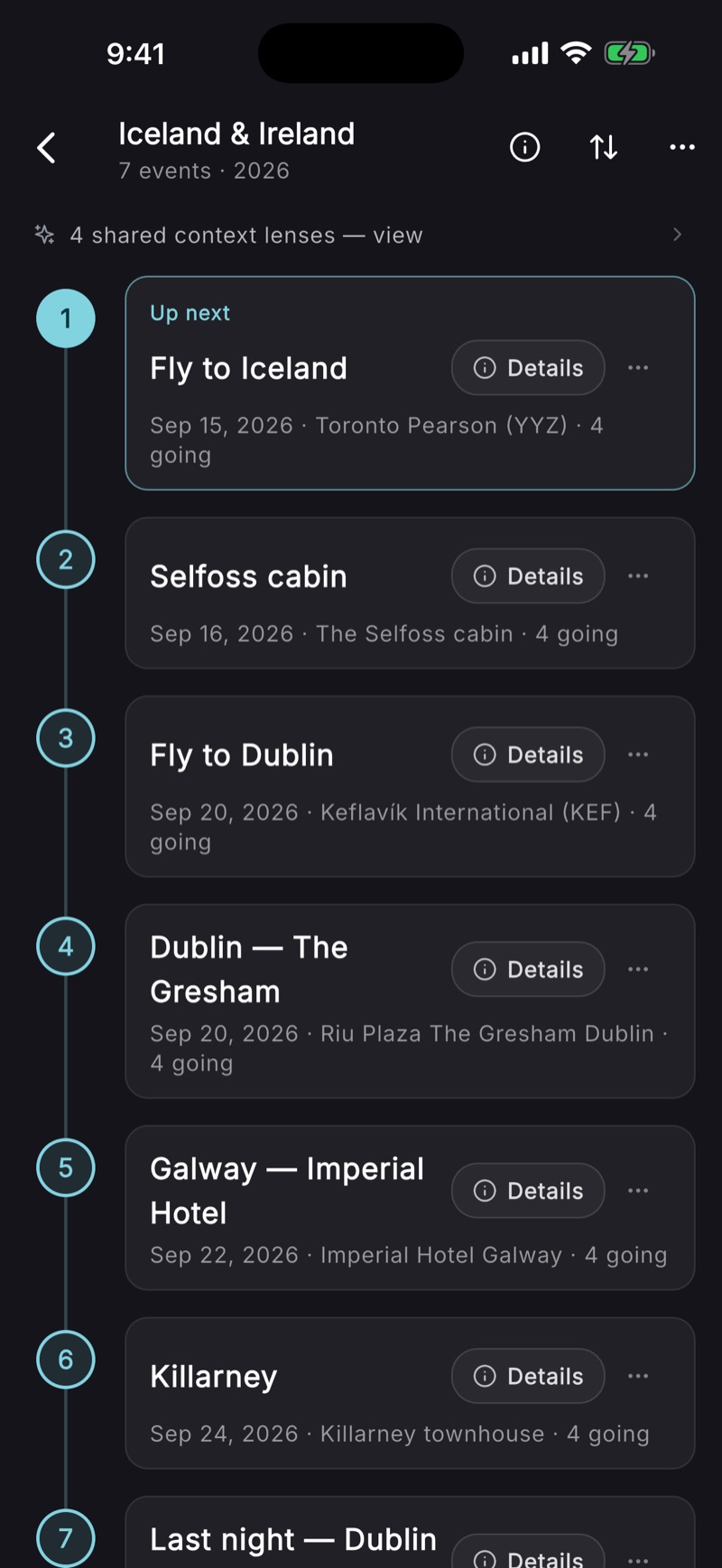
seven legs. one trip.
Two flights and five stays shouldn't live in a confirmation-email graveyard. A Trip lines every leg up in order — one timeline that always knows what's next, from the airport lounge to the last hotel checkout.
Every leg is a real event
Chat, tasks, RSVPs, one-tap navigation, a photo album — each leg carries all of it.
Everyone sees the same trip
Invite your travel companions and the whole run is theirs too — including what's up next.
It becomes the memory
Seven legs of photos land in order. The trip you planned turns into the trip you remember.
drop in the receipt. everyone ticks theirs.
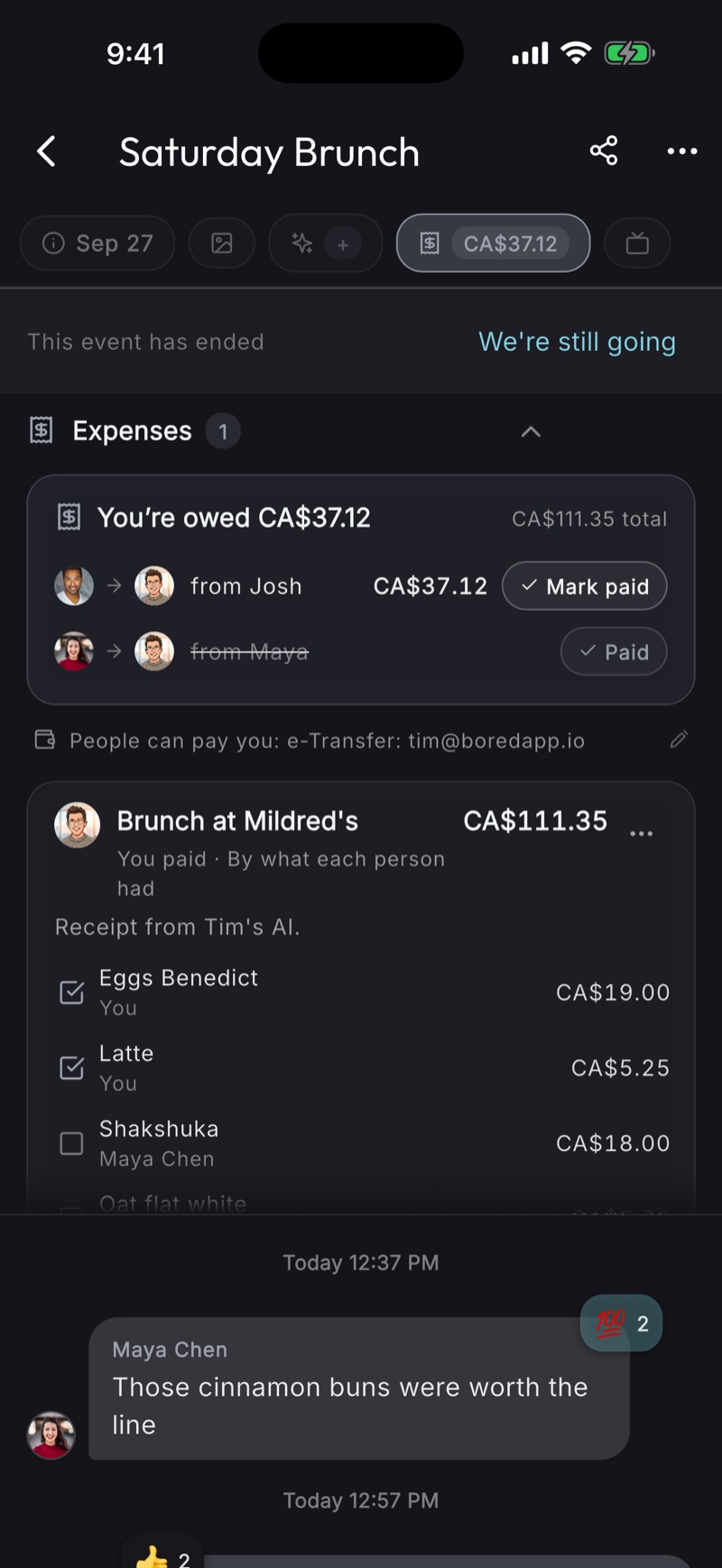
Connect Claude or ChatGPT to BoredApp once, then hand it the bill and say how to split it: evenly, by what each person had, or “I’ve got this one.” The event shows who paid what and who owes whom, and nobody has to do the math at the table.
Your AI reads the receipt
Hand Claude or ChatGPT the bill and say how to split it. The expenses land on the event.
Everyone ticks their own
Shared plates split between whoever ticked them; tax and tip follow each share.
The fewest payments
One number per person and the fewest transfers to settle. A trip settles as one tab.
Pay your usual way
Opens PayPal or Venmo, or copies an e-Transfer email and the amount. No money moves through BoredApp.
how it gets built
the tools to plan it. the memory archive, free.
Checklists, live ETAs, chat, the invite. Run the day with them, and everything lands in the archive on its own.
someone was supposed to bring the cake.
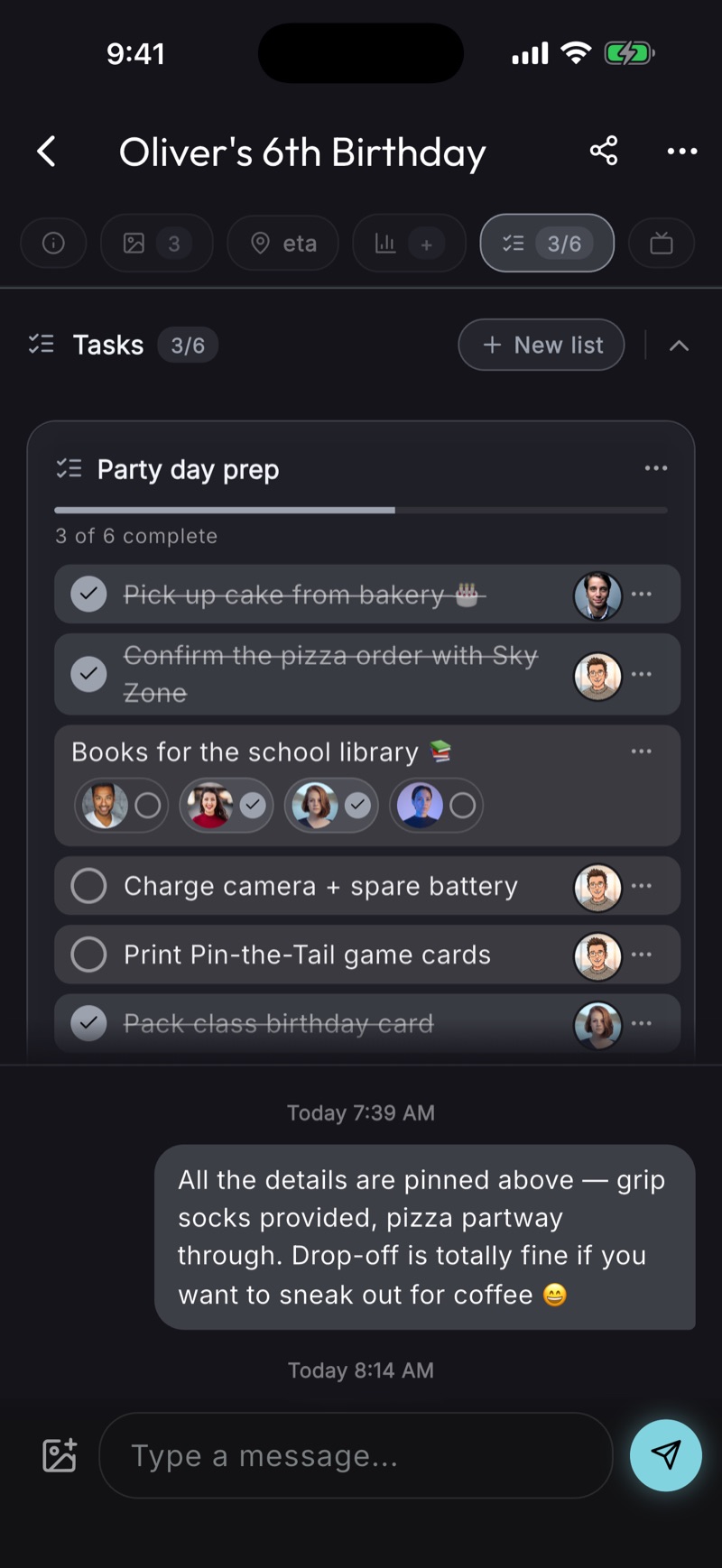
Every event gets a checklist. Assign items to one friend or several and watch them tick off live — when “bring the ice” is on Bob and Carol, you can see whether both have it covered.
One checklist per event
Or many, organised by category — packing, food, kids, whatever.
Assign to one or many
Drop a task on a single person, or split it between several friends.
Per-person checkboxes
Shared tasks get a checkbox per assignee — no more double-bookings.
Live updates
See who's done what without leaving the event.
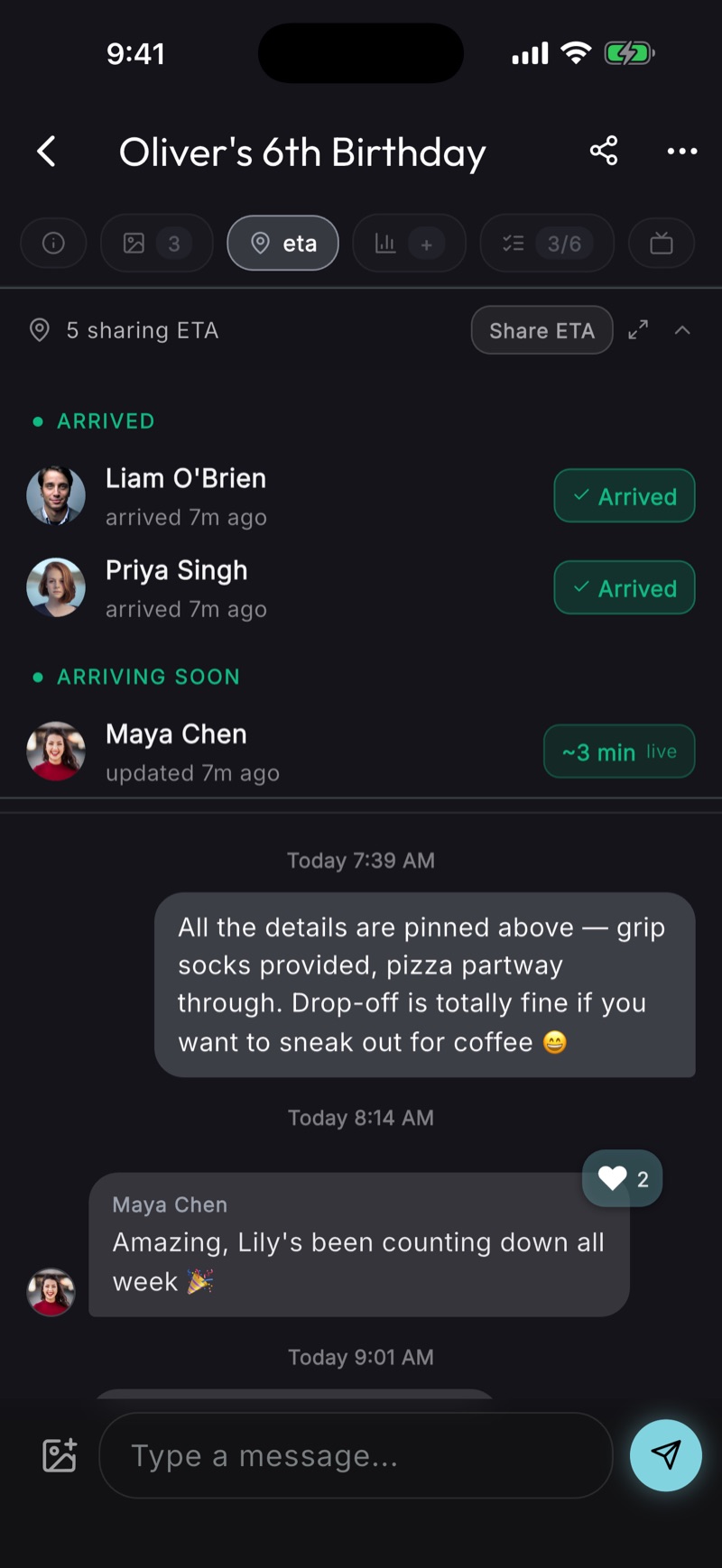
see when they'll arrive.
Whether it's an airport pickup, a golf tee time, or a backyard BBQ — see everyone's live ETA, sorted by who's arriving first. A heads-up pings the host when they're close.
We compute your ETA. We never store your location.
No map. No dot. No coordinates — just “~12 min.” Opt-in per event, auto-stops when you arrive.
a Mac app. and any browser.
If you run the group, this is where you'll live. Like iMessage on a Mac: the chat, the plans and everyone's photos in a window beside your work, not a phone you keep picking up.
No Mac? Every event opens in any browser. Nothing to install.
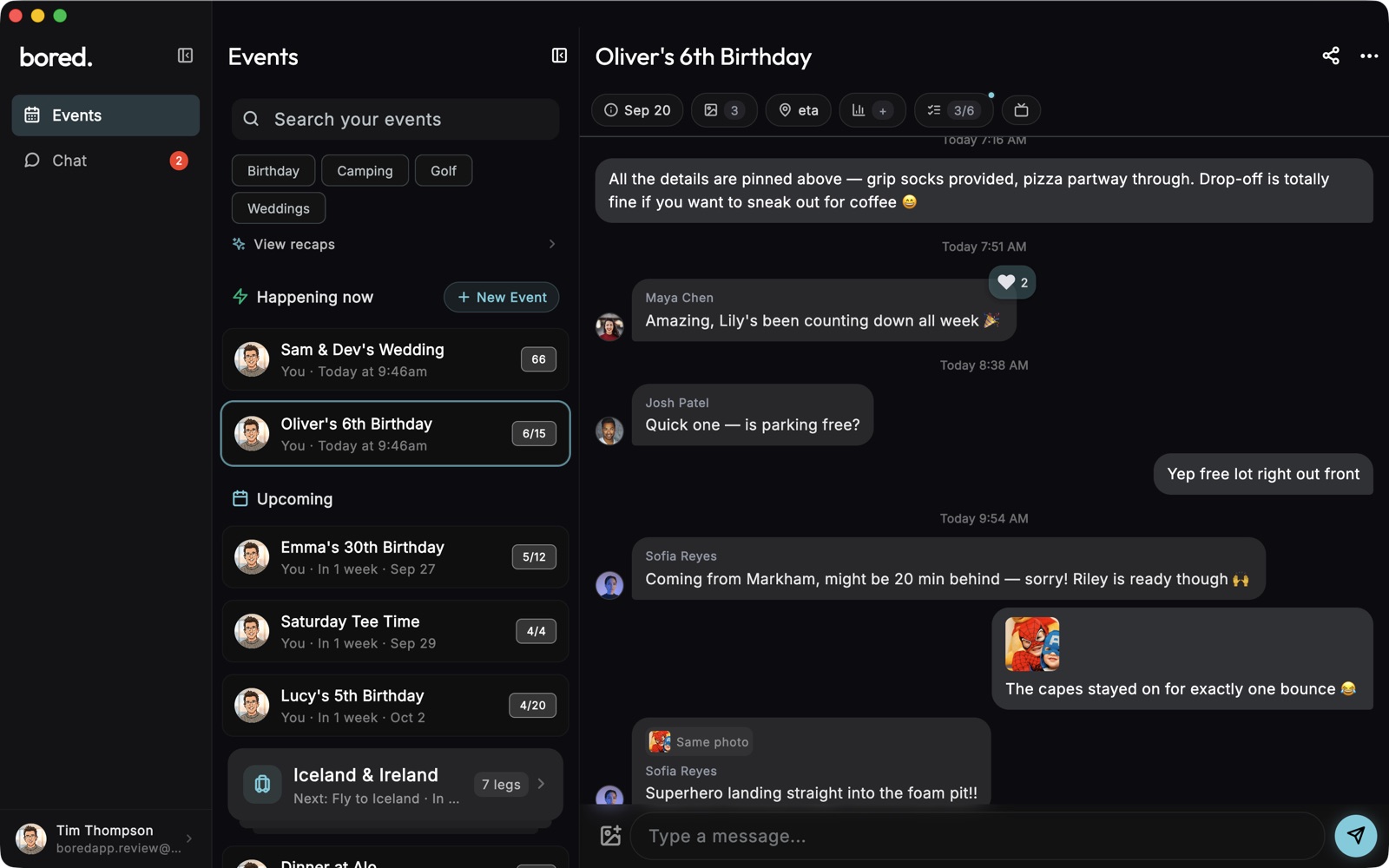
The Mac app. On the Mac App Store.Get it →
every plan starts as a conversation.
Message one friend or a whole crew. Every conversation carries the same polls, photos, and reactions, so the plan takes shape where you're already talking.
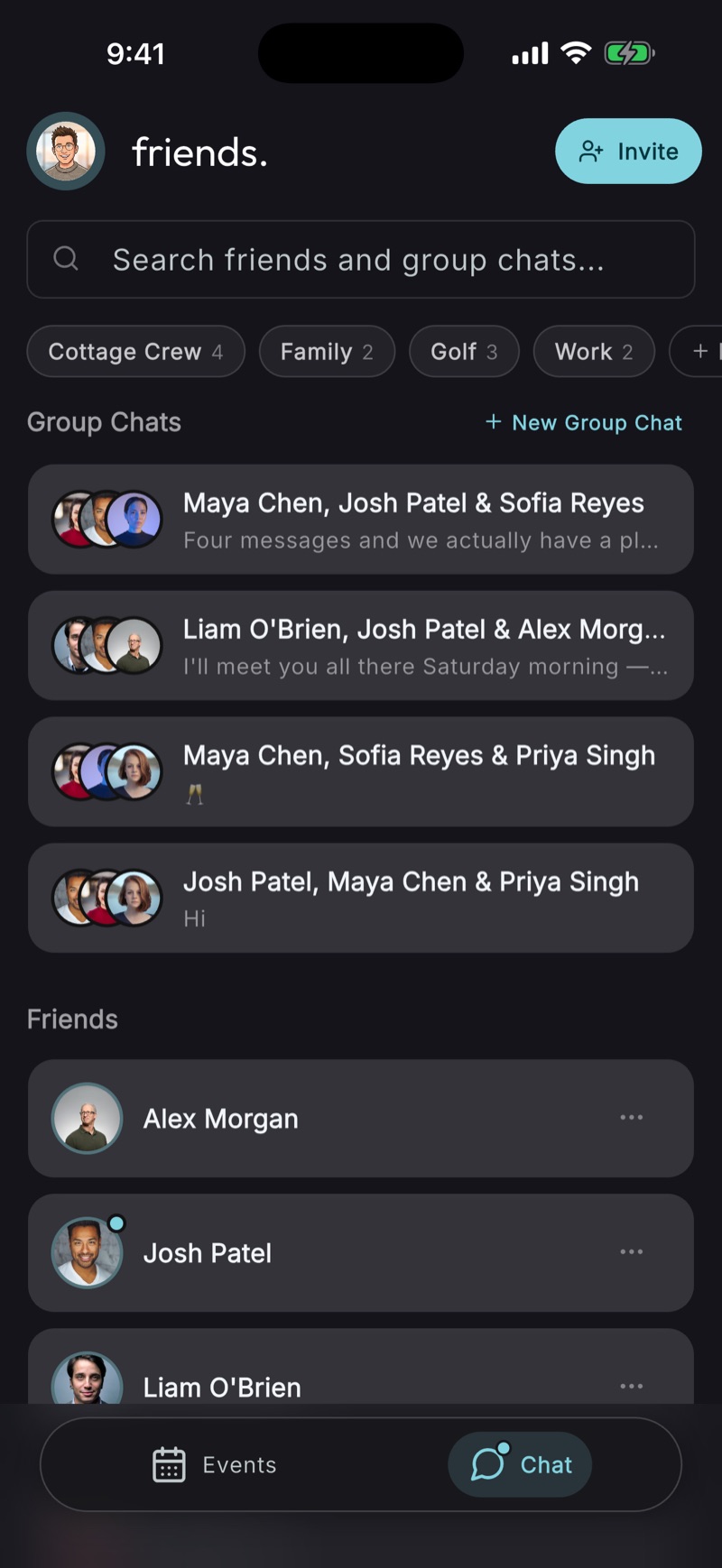
All your people, one tab
Friends and group chats in one place, sorted by private labels only you can see.
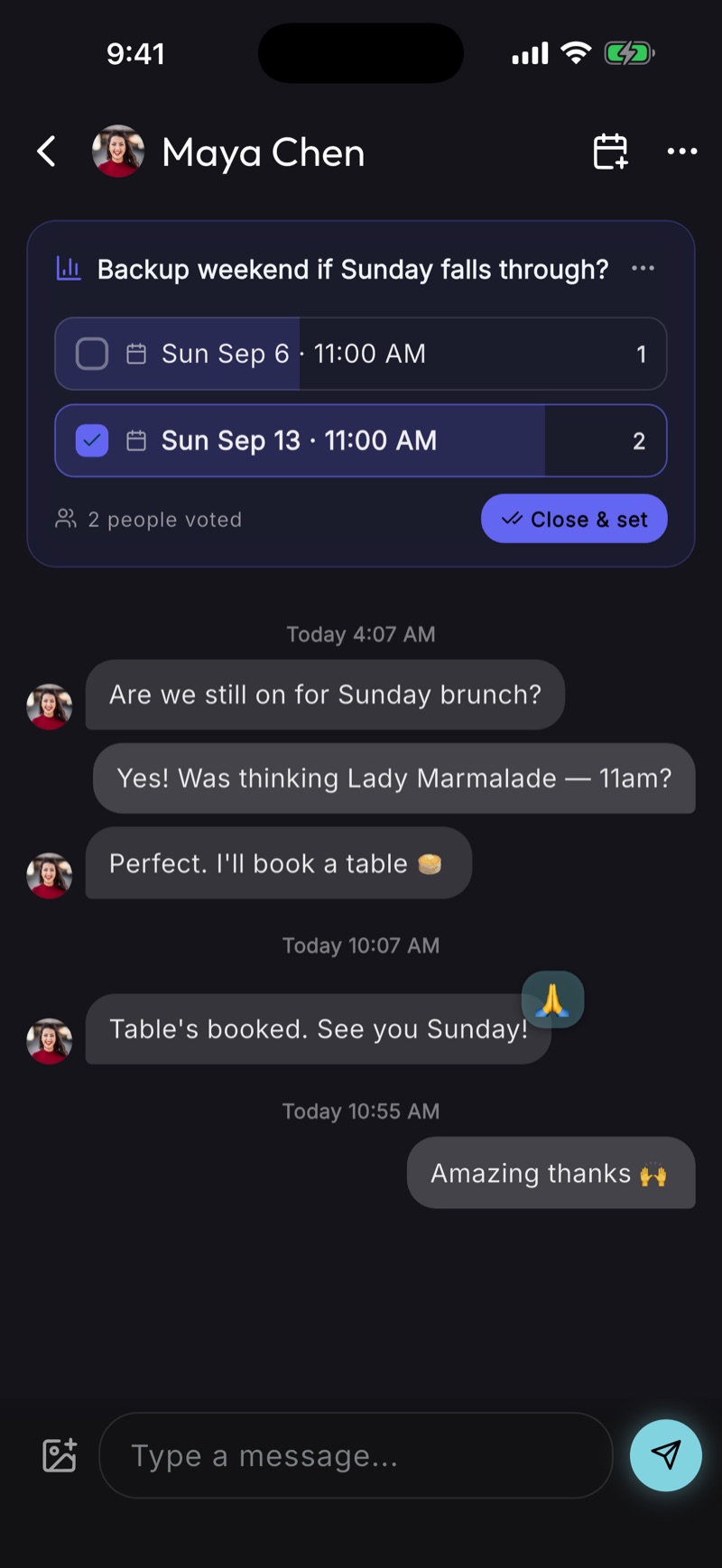
One friend, one plan
Direct messages carry the same polls, photos, and reactions — brunch for two is still a plan.
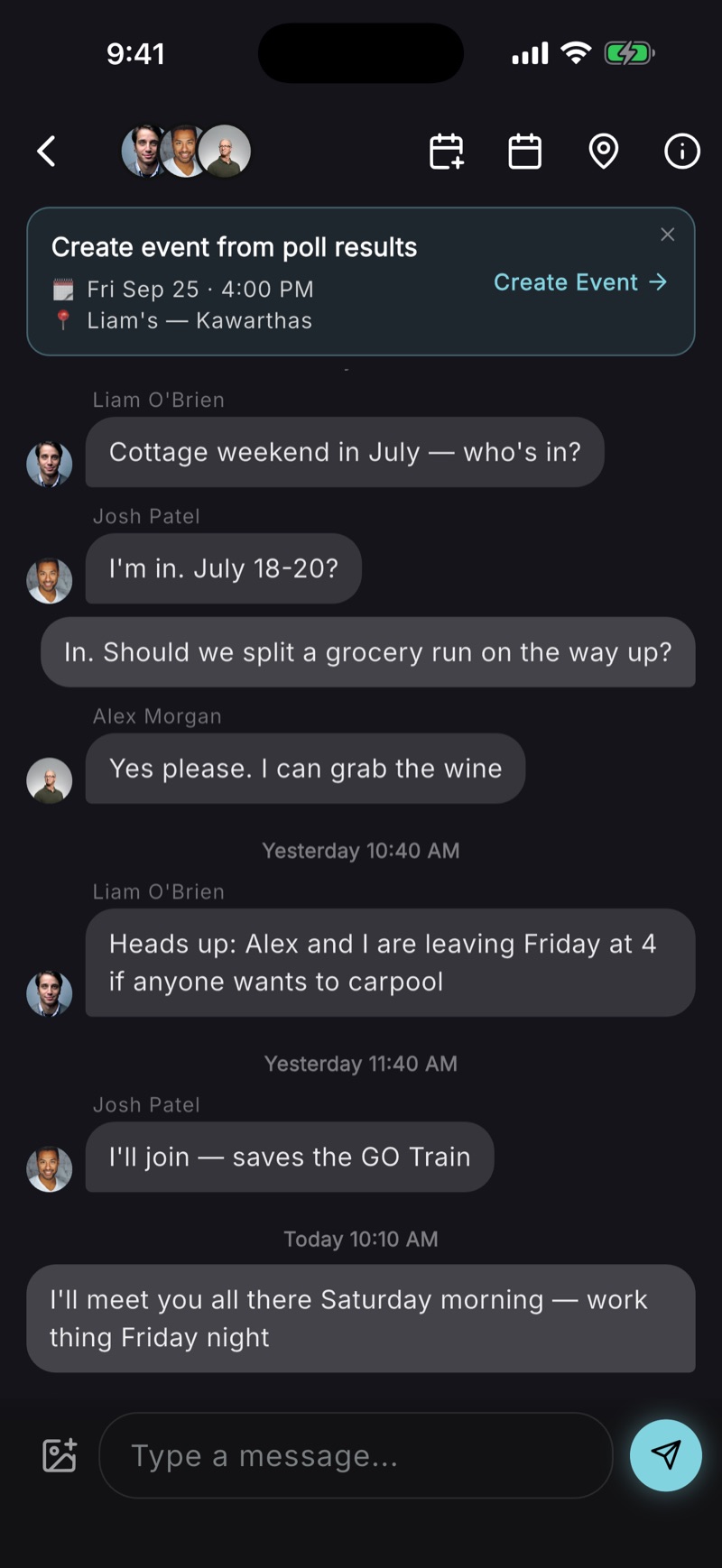
Every crew, its own chat
A weekend away, figured out between six people — with a real event waiting at the end of it.
from chat to event, in a tap.
Date polls
Drop 2–5 options. Group votes. Winner becomes the event time.
Location polls
Same flow for places, powered by Google Places autocomplete.
One-tap event
Poll closes, and BoredApp pre-fills the date, place, title, and invites everyone in the conversation.
Stays in the chat
Poll outcomes post back to the thread so nobody loses the conversation.
connect your AI.
Some plans start in a chat with your people. Some start in a chat with your assistant. BoredApp speaks MCP — the open standard AI assistants already use — so Claude, ChatGPT, or any assistant that supports it can plan right in your BoredApp.
setup guide: the address and the stepsYour assistant acts as you, on your account — the same events, the same friends, the same privacy. Nothing it creates goes anywhere your own taps couldn't.
BoredApp Pro.
Early accessFor power users. Three kinds.
for the AI power user
Plan every day, no waiting.
Events, coordination, questionnaires, recaps — free covers a full occasion a day. Pro removes the wait.

for the photos you print
The originals, up to 24MP.
Every album keeps every photo, free. Pro keeps the full-size original behind each one, on every event you host.
for the venue
The wall, in your colors.
Your accent and your logo around the room's photos on the screen at the venue — with the name of whoever took each one still on it.
By request, from inside the app. Free while it's in early access.
what's it for?
Any event. Any group. Kept.

birthday parties.
Invites, RSVPs, polls for the venue — no more chasing parents in the group chat.
Read more →

weddings.
Rehearsal dinners, bachelor parties, day-of coordination — all in one place.
Read more →

dinner parties.
One event, one link. Share it anywhere — no app needed to view.
Read more →

trips & vacations.
A cottage weekend or a week away — invite the crew, split the packing list, come home with everyone's photos.
Read more →

golf days.
Lock the tee time, invite the foursome — and know exactly when everyone's rolling in.
Read more →

family reunions.
Sixty relatives, one album. Everyone's photos land together, and live ETAs show who's still on the road.

friendsgiving.
Assign who's bringing what and watch the list fill in — nobody turns up with the third pasta salad.

bachelor & bachelorette.
Pick the dates by poll, keep the whole weekend in one event, and come home with everyone's photos.

kids' sports.
Call times, carpools, and live ETAs — so you know who's driving and when they'll actually arrive.
start with the next one.
Free. Your guests don't even need the app — the invite link opens anywhere.