plan your next weekend.
You don't need a big community to use BoredApp. You need four friends and a free weekend — or a free fortnight.
Here's the usual version. Someone floats a cottage weekend in the group chat. Twelve messages about dates. Two people are out for one of them. Someone asks for the address three times. Half the group never replies and you find out on Friday.
it starts in the group chat.
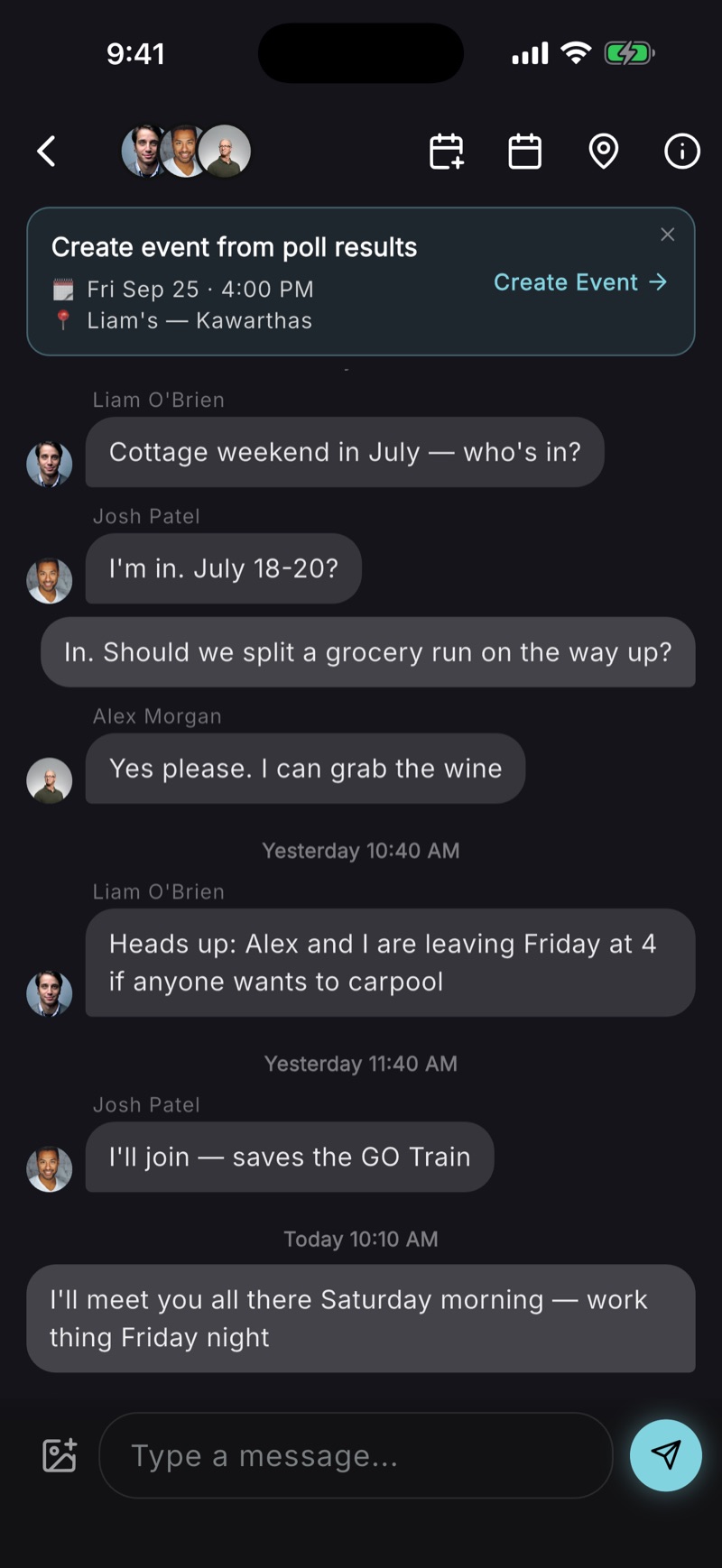
That's fine — start it there. Poll the dates in the chat so nobody has to read back through the thread to find out what won. When the poll closes, a banner appears above the conversation with the result already filled in. Tap Create Event and everyone in the chat is invited, no retyping.
The carpool talk, the grocery run, who's got the wine — that all keeps happening in the chat. It just has a real plan attached to it now.
one event for the whole weekend.
A trip isn't a two-hour thing, so give it a real end date on the calendar — two nights or two weeks, the event covers the whole span rather than pretending it starts and stops on one afternoon. Add the address, the check-in time, and the stuff people forget: bring a towel, there's no cell service past the turnoff, the nearest grocery store is twenty minutes back.
Invite-only, like everything here — no public profile, no discovery feed, nobody's coworker turning up. The event travels by its link, so share it the way you'd share the invite.
invite the crew.
If this is a group you plan with often, label them once — Cottage Crew, Golf, Family — and invite the whole label in a tap next time. Labels are private to you; nobody sees which list they're on.
Friends not on the app? Share the link anywhere. They see the full event in their browser, RSVP Going, Maybe or Can't, and install only if they feel like it.
split the packing list.
Firewood, the cooler, the speaker, coffee, the thing nobody remembers until Saturday morning. Put it on the event as a Tasks list, assign each item, and watch it tick off. Two people sharing the grocery run each get their own checkbox.
one tap to get there.
Everyone hits Navigate and their maps app opens on the cottage — which matters more than usual when the address is a rural route and the last person left at a different time from everyone else. Whoever's driving up late can opt in to share an ETA so the people already there know whether to start dinner. Minutes only. No map, no coordinates, and it stops on its own when they arrive.
come home with everyone's photos.
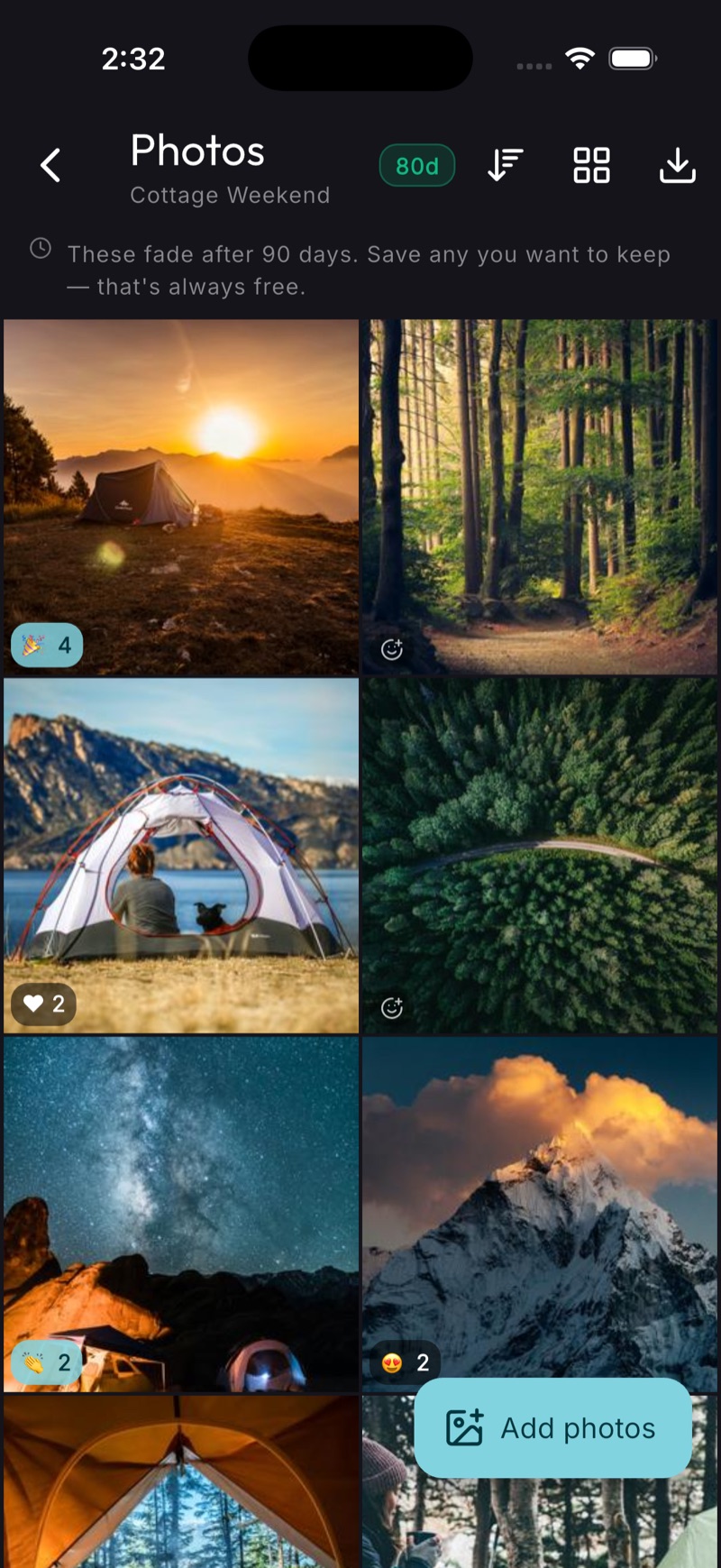
The best photo of the weekend is on someone else's phone and you will never see it. The event has a shared album — everyone adds to the same one, so the whole weekend lands in a single place instead of scattered across five camera rolls and one group chat that scrolls away.
The album doesn't expire, and saving whatever you want to your own phone is free for everyone.
then repeat it.
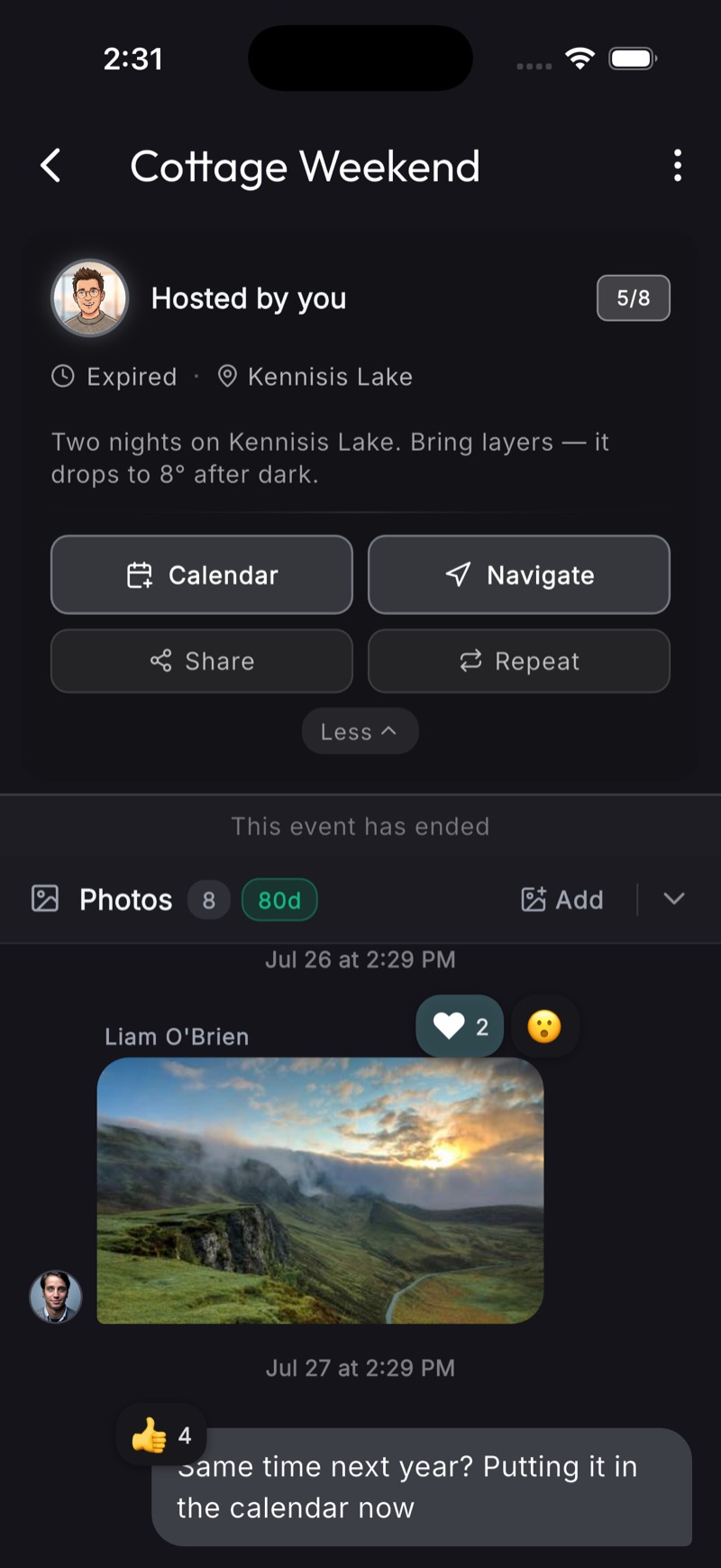
The weekend that worked once will work again. A finished event keeps everything it had — the guest list, the chat, the packing list — and both the event itself and its card under Past Events offer to repeat it, opening a new event pre-filled from the old one. Same crew, same cottage, new dates, one tap.
Start with your friends and a weekend. That's the whole requirement.